
Learning Paths
Last Updated: April 9, 2026 at 10:30
What Is SSH? Secure Remote Access Explained
From password risks to encrypted tunnels — why every developer and sysadmin depends on SSH
Every time a developer deploys code or a sysadmin reboots a remote server, SSH is probably the invisible tool making it safe. SSH (Secure Shell) creates an encrypted tunnel between your computer and a remote server, protecting everything you type from eavesdroppers on the network. Before SSH, protocols like Telnet sent passwords in plain text — dangerously exposed to anyone who cared to look. This article explains what SSH is, why it matters, how it works, and why it became the standard for secure remote access
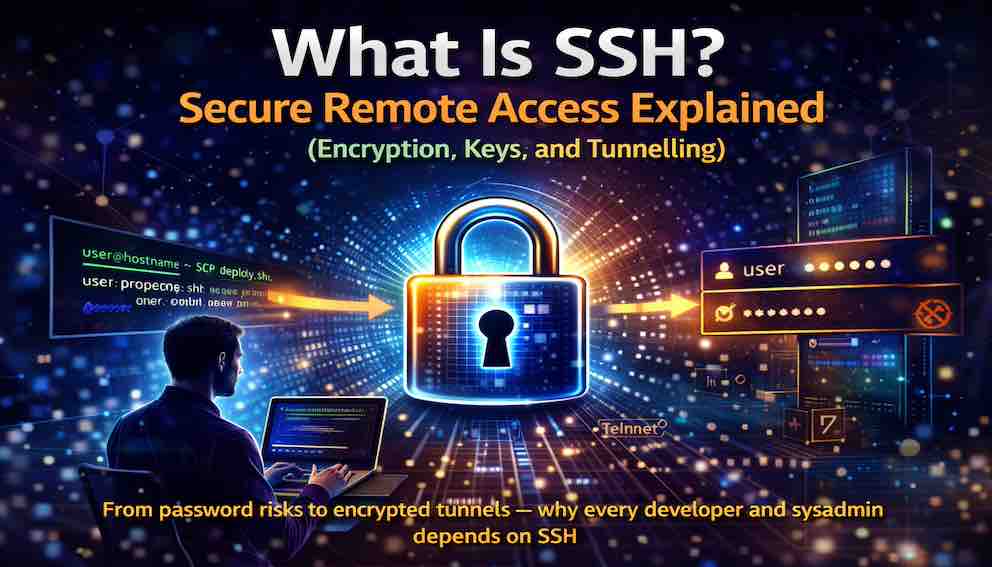
SSH, which stands for Secure Shell, is a cryptographic network protocol that lets you securely access and control a computer over an unsecured network such as the internet. It creates an encrypted tunnel between your local machine and a remote server. Everything you type, and everything the server sends back, travels through that tunnel in a form that cannot be read by anyone intercepting the traffic.
Before SSH, remote access was dangerous. Older protocols like Telnet and FTP transmitted everything — including usernames and passwords — in plain text. Anyone monitoring the network could see sensitive information easily. SSH changed this by introducing encryption, making remote access safe enough to be used over the public internet.
This article explains what SSH is, why it matters, how it works at a conceptual level, and where you encounter it every day without noticing.
A Simple Story: The Private Tunnel
Imagine you work in a busy office. You need to send confidential documents to a colleague in another building, across a crowded public square. Anyone standing in the square could see what you are carrying.
You have two options.
The first is to walk across the square openly, carrying your documents. Everyone sees them. This is Telnet and FTP — everything you send is visible to anyone who cares to look.
The second is to build a private underground tunnel between the two buildings. You enter the tunnel on your side, your documents travel through it, and your colleague receives them on the other side. No one in the public square sees anything.
This is SSH. The tunnel is encrypted. Your commands, your passwords, your files — everything moves through a channel that only you and the remote server can see. The tunnel does not change what you are sending. It changes who can see it in transit.
Why SSH Exists
In the early days of the internet, remote access protocols like Telnet (for command-line access) and FTP (for file transfer) were designed for trusted, private networks. They assumed that everyone on the network could be trusted. As a result, they transmitted all data — including credentials — in plain, readable text.
This worked in controlled environments where machines were connected within secure, physically isolated networks. As the internet grew, those assumptions no longer held.
On a public network, an attacker could intercept traffic and read everything in a Telnet session, including passwords. They could observe commands being executed, files being accessed, and even inject their own commands into the session.
SSH was created in 1995 by Finnish researcher Tatu Ylönen after a password-sniffing attack at his university. It was designed to solve a single problem: how to securely access a remote system over an untrusted network. The solution was encryption applied to the entire communication channel — authentication, commands, output, and file transfers all protected. SSH did not just improve remote access; it made remote access safe enough to become routine.
What SSH Does
SSH provides three core capabilities that make modern server management possible.
Secure Remote Command Execution
SSH allows you to connect to a remote server and execute commands as though you were physically present at the machine. Every keystroke and every response is encrypted during transmission. Anyone monitoring the network will see only encrypted data, not the actual commands or outputs.
This is the primary use case. Developers deploy applications, system administrators manage services, and DevOps engineers configure infrastructure — all through SSH.
Secure File Transfer
SSH supports secure file transfers through protocols such as SCP (Secure Copy Protocol) and SFTP (SSH File Transfer Protocol). Both encrypt authentication and file contents during transfer. Unlike FTP, which transmits credentials in plain text, SSH-based file transfer ensures that files and login details remain protected throughout.
Secure Port Forwarding
SSH can create encrypted tunnels for other network services, forwarding traffic from a local port to a remote server — or vice versa — even for applications that do not support encryption themselves.
For example, you can forward a local port such as 8080 to a remote database server running on port 3306. Your application connects to localhost:8080, but SSH securely forwards the traffic to the remote server. This makes it possible to protect otherwise unencrypted protocols by routing them through an SSH tunnel.
This capability is extremely powerful and widely used, though often overlooked.
How SSH Works
You do not need to understand cryptography in depth to use SSH, but understanding the high-level flow helps build intuition.
The Client and the Server
SSH follows a client-server model. The SSH client runs on your local machine; the SSH server — a background process commonly called sshd (SSH daemon) — runs on the remote machine. The client initiates the connection, and the server listens and responds.
Most Linux and macOS systems include SSH clients and servers by default. Windows now includes a built-in SSH client, with the server available as an optional feature.
Host Key Verification
The first time you connect to a server, SSH presents the server's host key fingerprint and asks you to verify it. This step is critical. It prevents man-in-the-middle attacks, where an attacker could intercept your connection and impersonate the server.
When you accept the fingerprint, it is stored in a file called known_hosts on your local machine. On future connections, SSH compares the server's key with the stored value. If it differs — because the server was reinstalled, or because something suspicious is happening — SSH issues a warning before proceeding.
You should always verify a host fingerprint through a trusted channel, such as your cloud provider's dashboard, the first time you connect to a new server.
Authentication Methods
After verifying the server's identity, SSH verifies yours.
Password authentication is the simplest method. You enter a username and password, which are encrypted before transmission. While secure in transit, passwords remain vulnerable to brute-force attacks and reuse across systems. They work, but they are not the most secure option.
Key-based authentication is the preferred approach and the standard for production systems. You generate a cryptographic key pair: a private key that stays on your machine and a public key stored on the server. When connecting, SSH proves ownership of the private key without transmitting it. The server validates this proof using the public key. No password is ever sent over the network.
Multi-factor authentication can be layered on top for additional assurance, combining key-based authentication with a one-time password, a hardware security token, or biometric verification.
The Encrypted Session
Once authentication is complete, SSH establishes an encrypted session using symmetric encryption — the same class used in HTTPS. The specific algorithms are negotiated during the connection handshake. From that point, the process is seamless: you type a command, SSH encrypts it, the server decrypts and executes it, then encrypts the output and sends it back. The entire process is transparent. You see only your command and its result, never the encryption working beneath the surface.
The SSH Config File
One of the most practical but underappreciated features of SSH is the client configuration file, located at ~/.ssh/config. It lets you define shortcuts and default settings for servers you connect to frequently, so you do not have to type long commands every time.
A simple example:
Host myserver
HostName 203.0.113.45
User alice
IdentityFile ~/.ssh/id_ed25519
With this in place, ssh myserver replaces the full command. For teams managing multiple environments or servers, a well-organised config file is an essential productivity tool.
Where You Use SSH Every Day
SSH is probably running in your workflows right now, even if you have never typed the word.
Deploying code. When you run git push to deploy an application, Git may use SSH to connect to the remote repository. The code you push travels over an encrypted SSH connection.
Managing cloud servers. When you connect to an EC2 instance on AWS, a Droplet on DigitalOcean, or a Compute Engine VM on Google Cloud, you are using SSH. Cloud providers generate SSH key pairs and configure servers to accept them as part of the provisioning process.
Transferring files. Many file transfer tools use SSH under the hood. When you use the scp command or connect with an SFTP client, the files travel through an SSH tunnel.
Git operations. When you clone a repository using an SSH URL ([email protected]:user/repo.git), Git uses SSH for authentication and encryption. Key-based authentication means no password prompts once your key is configured.
Connecting to databases. Developers routinely use SSH tunnels to access databases that are not exposed to the public internet. The database sits inside a private network; the developer forwards a local port to the database through an SSH connection. The traffic is encrypted through the tunnel, even if the database protocol itself offers none.
Common SSH Commands
Recognising the essential commands is useful even at an introductory level.
ssh user@hostname connects to a remote server. Replace user with your username and hostname with the server's address or IP. You will be prompted for a password or key passphrase.
ssh -i /path/to/key user@hostname connects using a specific private key file. This is common with keys provided by cloud services.
scp localfile.txt user@hostname:/remote/path/ copies a file from your local machine to a remote server, encrypted throughout.
scp user@hostname:/remote/file.txt ./local/path/ copies a file from a remote server to your local machine.
sftp user@hostname starts an interactive file transfer session where you can navigate directories and transfer files securely.
ssh -L 8080:localhost:3306 user@hostname forwards your local port 8080 to the remote server's port 3306. Connections to localhost:8080 are tunnelled through SSH to the remote service — a technique widely used for database access.
ssh -J jumphost user@finalserver connects to a destination server by first passing through an intermediate jump host. This is common in networks where servers are not directly reachable from the internet.
SSH vs Telnet vs RDP
Telnet is the older, insecure protocol that transmits everything in plain text, including passwords. It should never be used over untrusted networks. If you encounter Telnet in production today, treat it as a security problem.
SSH is the secure replacement for Telnet. It encrypts all communication and supports modern authentication methods. It is the standard for command-line remote access on Unix-like systems.
RDP (Remote Desktop Protocol) is used for graphical remote access to Windows systems. While it supports encryption, it serves a different purpose — providing a full desktop interface rather than command-line access.
In short: SSH is for terminal access, RDP is for graphical desktops, and Telnet belongs in a museum.
What SSH Does Not Do
SSH is powerful, but it is not a complete security solution on its own.
SSH does not secure the server itself. Once connected, you are interacting directly with the system. Any vulnerabilities on that server still apply. SSH protects the channel, not the endpoint.
SSH does not protect against compromised private keys. If a private key is stolen, an attacker can authenticate as you. Private keys must be stored securely, protected with passphrases, never checked into version control, and never copied to other servers.
SSH does not replace a VPN. SSH tunnels specific connections at the application level. A VPN creates a full network-layer connection. Each solves a different problem.
SSH does not audit user activity by itself. SSH encrypts your commands but does not log them. Logging and monitoring must be handled by the server's own systems.
Common Mistakes to Avoid
Using password authentication on public-facing servers. Passwords can be guessed or stolen. For any server exposed to the internet, key-based authentication should be mandatory.
Not protecting private keys with a passphrase. If your private key is stolen without a passphrase, it can be used immediately. A passphrase encrypts the key on disk, adding a meaningful second layer of protection.
Sharing private keys between people or environments. Your private key is yours alone. Generate separate keys for each machine, each person, and each trust boundary. If a developer's laptop is compromised, the attacker should not automatically gain access to production servers.
Ignoring host key warnings. If SSH reports that a server's host key has changed unexpectedly, do not dismiss it. It may indicate a server rebuild, but it can also indicate a man-in-the-middle attack. Verify through a trusted channel before proceeding.
Assuming SSH fixes all security problems. SSH secures the transport layer. It is one layer of a broader security posture, not the whole defence.
A Note on SSH Versions
You may encounter references to SSH1 and SSH2. SSH1 was the original protocol, released in 1995. It was a breakthrough at the time, but cryptographic weaknesses were later discovered. SSH2 emerged in the late 1990s as a substantially redesigned version with stronger cryptography and a cleaner architecture, and was formally standardised by the IETF in 2006. SSH1 is now obsolete and should never be used. Every modern SSH client and server implements SSH2. If you encounter documentation referencing SSH1 without noting that it is deprecated, treat the source with scepticism.
The Bottom Line
SSH is the foundation of secure remote access in modern technology. It encrypts everything — authentication, commands, output, and file transfers — protecting your work from anyone monitoring the network in between.
It replaced insecure protocols like Telnet and FTP by introducing encryption as a core feature rather than an afterthought. Today, SSH is used by developers, system administrators, and DevOps engineers anywhere servers need to be managed remotely.
The core model is straightforward: you run an SSH client, the remote server runs an SSH server, you authenticate with a password or cryptographic key pair, and you are connected through an encrypted tunnel. Everything you send and receive is private.
SSH does not fix every security problem. It protects the channel, not the endpoint, and does not audit what you do once connected. But for the problem it actually solves — secure remote access over untrusted networks — it is the essential tool the entire industry depends on.
Every time you deploy code, restart a service, or copy a file to a server, SSH is almost certainly doing the work. You do not see it. But you would notice immediately if it were gone.
About N Sharma
Lead Architect at StackAndSystemN Sharma is a technologist with over 28 years of experience in software engineering, system architecture, and technology consulting. He holds a Bachelor’s degree in Engineering, a DBF, and an MBA. His work focuses on research-driven technology education—explaining software architecture, system design, and development practices through structured tutorials designed to help engineers build reliable, scalable systems.
Disclaimer
This article is for educational purposes only. Assistance from AI-powered generative tools was taken to format and improve language flow. While we strive for accuracy, this content may contain errors or omissions and should be independently verified.