
Learning Paths
Last Updated: April 9, 2026 at 10:30
Encryption at Rest vs Encryption in Transit
Why your data needs protection both when it moves and when it sits still — and why these two forms of encryption address completely different threats
Encryption at rest and encryption in transit serve two completely different purposes. At rest encryption protects data stored on disks, databases, and backups from theft or unauthorized access. In transit encryption protects data moving across networks from eavesdropping or interception. This article explains the distinct threat models, why you need both, and the practical trade-offs of each approach — because an armored truck does nothing to protect cash in a vault, and a vault does nothing to protect cash on the road.
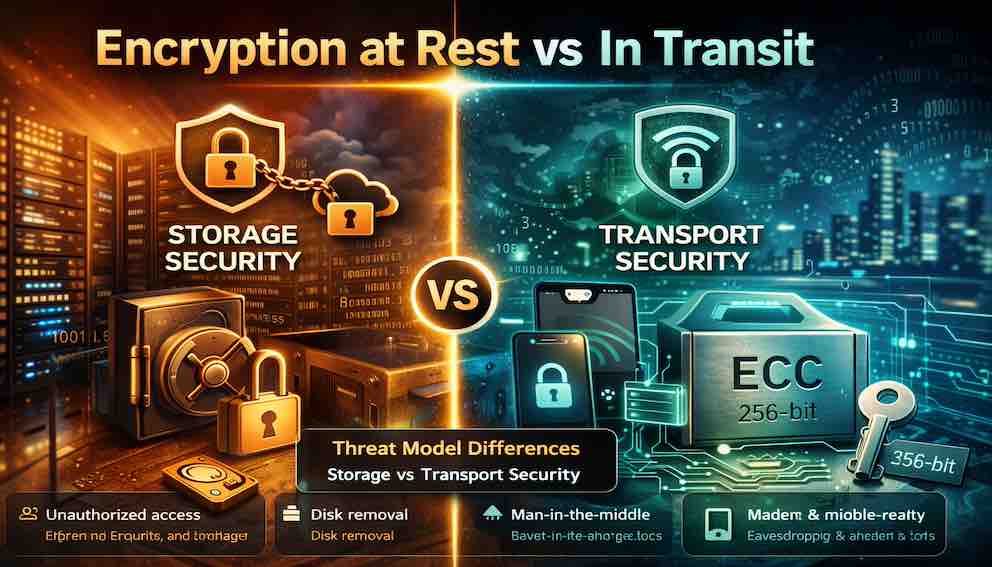
The Armored Truck and the Bank Vault
Imagine you run a business that handles large amounts of cash. Every day, you move cash between your office, the bank, and your customers. You also store cash overnight in your office safe.
You have two very different security problems.
The first is moving the cash. When cash is in transit — in a truck, in a courier's bag, being handed to a customer — it is exposed. It could be stolen from the truck. It could be grabbed from the courier. It could be intercepted. You put the cash in an armored truck with guards, locks, and tracking. This is encryption in transit. It protects data while it travels across networks.
The second is storing the cash. When cash is at rest — in your office safe, in the bank vault, in a drawer — it faces different threats. A burglar could break in at night. An employee with a key could take cash. A fire could destroy it. You put the cash in a heavy safe with a combination lock, bolted to the floor. This is encryption at rest. It protects data while it sits on disks, databases, or backups.
Here is the critical point. An armored truck does nothing to protect cash in a vault. A vault does nothing to protect cash in transit. You need both. They address different threats. They use different methods. Neither replaces the other.
This is exactly how encryption works in software systems. Data at rest needs protection from someone who steals your hard drive or breaches your database. Data in transit needs protection from someone who snoops on your network or intercepts your API calls. You cannot choose one. You must implement both.
What Is Encryption at Rest?
Encryption at rest protects data that is stored on a physical medium — hard drives, solid-state drives, databases, backups, logs, or cloud storage — by ensuring that the data is encrypted when written and only decrypted when accessed by an authorized user or application. If someone steals your hard drive or walks away with a database backup, all they get is encrypted gibberish. They cannot read your data without the encryption key.
Encryption at rest protects against physical theft of hardware such as laptops, servers, or backup tapes; unauthorized access to raw database files; breaches of cloud storage buckets; rogue administrators with file system access; and discarded drives that were not properly wiped before disposal.
It does not protect against a legitimate user with authorized access abusing that access, SQL injection that queries the database through the application layer, compromised application credentials, or network eavesdropping — that last one is encryption in transit's job.
Common implementations
Full disk encryption (FDE) encrypts the entire hard drive. BitLocker on Windows, FileVault on macOS, and LUKS on Linux are the standard options. When you authenticate at boot, the drive decrypts. This protects against physical theft of the device but does nothing once the system is running and the drive is mounted.
Database encryption can operate at the column level (encrypting only sensitive fields like credit card numbers), at the table level, or across the entire database. Most major databases — PostgreSQL, MySQL, SQL Server — support transparent data encryption (TDE), where the database engine handles encryption and decryption automatically.
Application-layer encryption is the strongest approach. The application encrypts data before writing it to storage, so the database never sees the plaintext at all. Even a database administrator with full privileges cannot read the raw data. The trade-off is added complexity: the application must manage keys and perform encryption operations itself.
Cloud storage encryption is offered natively by every major cloud provider. AWS S3, Azure Blob Storage, and Google Cloud Storage all support encryption at rest, either with provider-managed keys or customer-managed keys.
What Is Encryption in Transit?
Encryption in transit protects data as it moves across networks — from client to server, server to server, or server to client — by ensuring that anyone who intercepts the traffic sees only encrypted gibberish. Even if someone taps your network cable, sniffs traffic on a shared Wi-Fi network, or intercepts packets crossing the internet, they cannot read your data.
Encryption in transit protects against network eavesdropping, man-in-the-middle attacks where an attacker intercepts and potentially modifies traffic, ISP monitoring, malicious actors on internal networks, and rogue access points that impersonate legitimate Wi-Fi networks.
It does not protect against data stolen directly from storage, compromised endpoints (if the client device is already infected, TLS does nothing to help), or insider threats with direct database access.
Common implementations
TLS/HTTPS is the most common form. Every padlock icon in a browser indicates TLS is encrypting the connection between the browser and the web server. TLS is also used for API calls, database connections, and service-to-service communication.
VPN (Virtual Private Network) encrypts all traffic between a device and the VPN gateway. This protects against eavesdropping on untrusted networks such as coffee shops or airports.
SSH (Secure Shell) encrypts remote terminal sessions and file transfers (SFTP).
Mutual TLS (mTLS) is used in microservices architectures where services need to authenticate each other, not just encrypt the channel. Both sides present certificates, verifying identity in both directions.
API gateways commonly enforce TLS for all inbound API calls, acting as the termination point for external traffic.
The Threat Models: Why You Need Both
The most common mistake is assuming that HTTPS is enough. It is not.
Consider two attack scenarios. In the first, an attacker gains access to your network and begins capturing traffic. Without encryption in transit, they read everything in real time — credentials, API responses, user data. With TLS in place, all they capture is encrypted bytes. Encryption in transit solves this problem entirely.
In the second scenario, an attacker finds a vulnerability in your application and downloads a copy of your database. Without encryption at rest, they walk away with everything in plaintext. With TLS enabled but no at-rest encryption, TLS offers no protection whatsoever — the data on disk was never encrypted. Encryption at rest solves this problem.
The attack paths are different. A network attacker cannot read your TLS-encrypted traffic, but they can breach your database through a vulnerability and read unencrypted files. A disk thief cannot read your encrypted hard drive, but they would not have needed to if they could intercept network traffic instead.
A single gap — missing encryption at rest, or missing encryption in transit — can be the difference between a breach and a near miss. You need both because the attack surface is not the same for either one.
How Encryption at Rest Works
Encryption at rest is typically implemented using symmetric encryption, most commonly AES-256. The same key encrypts and decrypts the data. This is fast and efficient for large volumes, and on modern hardware with AES-NI (hardware acceleration built into most modern CPUs), the performance overhead is minimal — usually between one and five percent. Without hardware acceleration, the impact is significantly larger, which matters for high-throughput systems.
The key management challenge is the real difficulty with encryption at rest. The encrypted data is only as secure as the key used to encrypt it. If you store the key in the same place as the data — on the same server, in the same database, in the same configuration file — an attacker who compromises that system gets both the data and the key. The encryption protects nothing.
Common approaches to this problem:
A Hardware Security Module (HSM) is a dedicated piece of hardware that stores cryptographic keys and performs encryption operations without ever exposing the key outside the device. The application sends data to the HSM; the HSM returns ciphertext. The key never leaves the HSM. This is the most secure option and the right choice for highly sensitive environments.
Cloud Key Management Services — AWS KMS, Azure Key Vault, and Google Cloud KMS — provide HSM-backed key storage as a managed service. The cloud provider handles the hardware; you control access to the keys through IAM policies.
Envelope encryption (sometimes called a key encryption key, or KEK, pattern) is the standard approach used by most cloud KMS implementations. You generate a data encryption key (DEK) for each piece of data or each database. The DEK encrypts the data. A separate master key (the KEK) encrypts the DEK. The encrypted DEK is stored alongside the data. The KEK lives in KMS. This architecture means you can rotate keys or revoke access without re-encrypting all your data — you only re-encrypt the DEKs.
How Encryption in Transit Works
Encryption in transit protects data as it moves across the network. It uses a protocol called TLS (Transport Layer Security) — the technology behind the padlock icon in your browser.
TLS works in two phases. The first phase is the handshake. The client (your browser) and server introduce themselves, verify each other's identity, and agree on a secret key that only they know. This phase uses asymmetric encryption (public and private keys) because it allows strangers to establish a shared secret without having met before. The second phase is the data transfer. Once both sides have the shared secret, they switch to symmetric encryption (the same key for both directions) because it is hundreds of times faster for encrypting large amounts of data.
Here is what happens in a TLS handshake, step by step. Your browser connects to the server and says: "I support these encryption methods." The server responds with its digital certificate (proving its identity) and sends a public key. Your browser verifies the certificate — checking that it is trusted, not expired, and matches the website you are visiting. Then, using the server's public key, your browser securely sends a random secret. The server decrypts it with its private key. Now both sides have the same secret. They use that secret to derive keys for symmetric encryption. All subsequent communication — the web page, your form submissions, your login credentials — is encrypted with those symmetric keys.
What TLS does not hide. The IP addresses of both parties are visible in network headers. An observer can see that you are talking to example.com, but not what you are saying. The volume of traffic and the timing of messages are also visible. In older TLS versions, the domain name was also visible; TLS 1.3 encrypts more of the handshake, but the DNS lookup still reveals the destination unless you use encrypted DNS.
Where does TLS end? TLS must eventually decrypt the traffic somewhere. The point where decryption happens is called the termination point. This is a critical security decision.
- Terminate at the application server. The server handles TLS directly. Traffic is encrypted all the way from the client to your application. This is the most secure but adds load to your application servers.
- Terminate at a load balancer. The load balancer handles TLS and forwards plaintext traffic to your application servers. This is common because it reduces load, but traffic inside your network is unencrypted. This is acceptable only if you trust your internal network completely. Zero Trust principles say you should not.
- Terminate at a CDN or API gateway. The edge service handles TLS. Traffic from the edge to your origin may be plaintext. The safer approach is to re-encrypt traffic — use TLS from the edge to your origin as well.
Certificate hygiene. A TLS certificate is like a passport for a website. It must be renewed before it expires. It must be issued by a trusted certificate authority (not self-signed in production). It must cover the domain names you actually use. You should also configure HSTS (HTTP Strict Transport Security), which tells browsers to never connect to your site over plain HTTP. For high-value applications, consider HSTS preloading, which bakes your domain into browser trust lists so users can never accidentally visit an insecure version.
Common Mistakes
Trusting the internal network. The assumption that traffic inside a corporate network or cloud VPC is safe is wrong. Insider threats exist. Compromised devices exist. Misconfigured firewall rules exist. Encrypt internal traffic. Use TLS for service-to-service communication, database connections, and anything else that moves across a network, internal or external.
Storing keys with the data. Placing the encryption key in the same database as the encrypted data, or in the same configuration file on the same server, eliminates the protection encryption is supposed to provide. Store keys separately — in a KMS or HSM — with strict access controls.
Disabling TLS for performance or convenience. The performance difference between HTTP and HTTPS on modern hardware is negligible. The security difference is enormous. Disabling certificate verification in development environments and forgetting to re-enable it in production is a particularly dangerous pattern — it trains developers to ignore certificate errors and creates a configuration gap between environments.
Encrypting production but not backups. The production database is encrypted. The backup is stored in plaintext on an S3 bucket with broad access. An attacker who finds the backup gets everything the production encryption was supposed to protect. Backups must be encrypted with the same rigor as production data.
Using ECB mode. AES-256 is the right algorithm, but mode selection matters. ECB (Electronic Codebook) mode encrypts identical plaintext blocks to identical ciphertext blocks, which leaks patterns in the data — famously illustrated by the "ECB penguin" image. Use AES-256-GCM, which provides both encryption and authentication. Never use ECB.
Using outdated TLS configurations. TLS 1.0 and 1.1 are deprecated and should not be supported. Weak cipher suites like RC4 or CBC-mode suites without proper padding validation have known vulnerabilities. Use TLS 1.2 at minimum, prefer TLS 1.3, and use a tool like Mozilla's SSL Configuration Generator to produce a tested, modern configuration.
No key rotation plan. The longer an encryption key is used, the greater the exposure surface if it is compromised. Keys should be rotated on a defined schedule. More importantly, there should be a documented plan for emergency rotation if a key is suspected to be compromised. Envelope encryption (KEK/DEK) makes rotation far more practical for large datasets.
Compliance Requirements
Most regulatory frameworks treat both forms of encryption as required controls, not optional hardening. GDPR requires encryption of personal data both at rest and in transit. HIPAA imposes the same requirement for protected health information. PCI-DSS mandates encryption of cardholder data in both states. SOC 2 Type II audits treat encryption at rest and in transit as standard controls that auditors expect to see in place.
Even without a formal compliance obligation, encrypting data at rest and in transit is the baseline expectation for any system handling sensitive information. It is not an advanced security measure. It is the floor.
What to Take Away
Encryption at rest and encryption in transit serve different purposes, address different threats, and are both necessary for any complete security posture. At-rest encryption protects stored data — from disk theft, stolen backups, and breaches of database files. In-transit encryption protects moving data — from network eavesdropping, man-in-the-middle attacks, and internal network threats.
Neither replaces the other. Understanding this distinction means you can reason clearly about threat models, ask the right questions when reviewing a system's security architecture, and avoid the most common gap: assuming HTTPS is sufficient because data is encrypted on the wire, while the underlying storage is completely unprotected.
Encryption is not a checkbox. Keys must be rotated. Configurations must be reviewed against current best practices. Backups must be encrypted with the same care as production systems. Internal traffic must be encrypted even when it never leaves your own infrastructure.
The perimeter is gone. Trust no network. Encrypt everything.
The Armored Truck and the Bank Vault, Revisited
The armored truck — encryption in transit — protects cash while it moves. It guards against hijackers, pickpockets, and dishonest couriers. But it does nothing to protect cash sitting in a vault.
The bank vault — encryption at rest — protects cash while it sits. It guards against burglars, dishonest employees, and fire. But it does nothing to protect cash on the road.
You cannot choose one. You cannot say "I have an armored truck, so I do not need a vault." You cannot say "I have a vault, so I do not need an armored truck." The threats are different. The protections are different. You need both.
Your data is the cash. Your network is the road. Your disks are the vault. Encrypt in transit. Encrypt at rest. Do not compromise on either.
A breach does not care about your excuses. It only cares about the weakest link.
About N Sharma
Lead Architect at StackAndSystemN Sharma is a technologist with over 28 years of experience in software engineering, system architecture, and technology consulting. He holds a Bachelor’s degree in Engineering, a DBF, and an MBA. His work focuses on research-driven technology education—explaining software architecture, system design, and development practices through structured tutorials designed to help engineers build reliable, scalable systems.
Disclaimer
This article is for educational purposes only. Assistance from AI-powered generative tools was taken to format and improve language flow. While we strive for accuracy, this content may contain errors or omissions and should be independently verified.