
Learning Paths
Last Updated: March 31, 2026 at 12:30
What Is OAuth 2.1 and Why It Exists
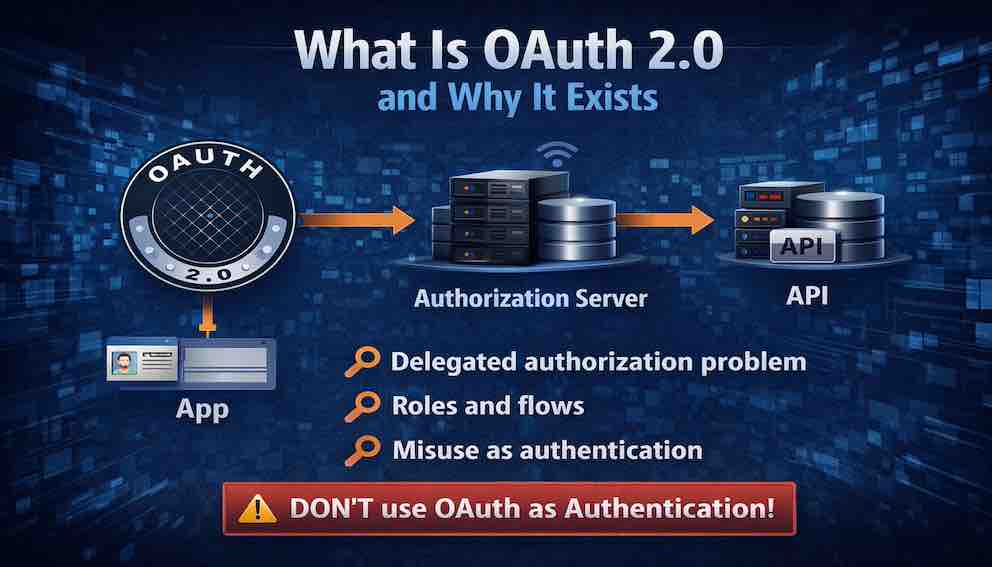
Delegated authorization, the roles and flows that make it work, and why OAuth is so often misused as authentication
OAuth 2.1 solves a problem every user faces: how to let one application access data from another without handing over a password. This article breaks down the four critical roles — resource owner, client, authorization server, and resource server — and walks through each OAuth flow, from the Authorization Code with PKCE (the modern standard for web and mobile apps) to Client Credentials for machine-to-machine communication. It explains the purpose of each token type, the importance of scopes for granular permissions, and why using OAuth as an authentication mechanism is a dangerous mistake that leads to real-world breaches. By the end, you will understand not just how OAuth works, but why OAuth 2.1 eliminated insecure flows, and how it enables federated identity without ever touching a user's password
A Story: The Photo Printing App
Imagine you have a phone full of photos stored in your favorite cloud service. Let us call it CloudPhotos.
Now imagine you discover a fantastic printing service called PrintMagic. It turns your photos into beautiful prints and delivers them to your door.
There is just one problem: PrintMagic needs access to your photos to print them. Not all of them — just the ones you choose. And definitely not your account settings, your billing information, or your private shared albums.
So how do you give PrintMagic access without handing over your CloudPhotos password?
If you give PrintMagic your password, bad things can happen.
PrintMagic could read every photo you have ever stored. It could delete them. It could change your account settings. It could keep accessing your account long after you stop using the service. And if PrintMagic gets breached, your CloudPhotos password is exposed — along with every other service where you use that same password.
This is the delegated authorization problem. How can a user grant a third-party application limited access to their resources on another service — without sharing their credentials?
OAuth was created to solve exactly this problem.
This article explains OAuth 2.1 — the modern, consolidated version of the standard. It is essential reading for any developer building applications that need access to user data.
Part One: What OAuth Is (And What It Is Not)
Start with a definition that frames everything that follows:
OAuth 2.1 is an authorization framework that enables a third-party application to obtain limited access to a user's resources hosted on another service, without exposing the user's credentials to the third-party application.
Notice the critical word in that definition: authorization. OAuth is about granting access, not proving identity. This is the most common misunderstanding about OAuth, and it leads to catastrophic security failures.
OAuth is a way to grant limited access to resources. It is an authorization framework, a system for delegating permissions, and a method for issuing access tokens. It is not a way to log a user in. It is not an authentication protocol, a system for verifying identity, or a method for issuing identity tokens.
The confusion is understandable. When you click "Sign in with Google," you are using OAuth. But the login is happening through OpenID Connect (OIDC), which is built on top of OAuth. We will cover OIDC in a later Article. For now, understand this: OAuth alone does not authenticate users. It authorizes applications.
Part Two: The Core Problem OAuth Solves
Before OAuth, delegated access was handled through a practice called password sharing. This is exactly what the printing app story described. Users would give their credentials to third-party applications. Those applications would store the credentials and use them to access the user's resources.
Password sharing created a cascade of security problems:
- Credential exposure. The third-party app now knows the user's password. That password may be reused across other services.
- Excessive access. The app gains full access to the user's account — not just the resources it needs.
- No granular revocation. The only way to revoke access is to change the password. But that revokes everything, not just the offending application.
- No audit trail. The service cannot distinguish actions taken by the user from actions taken by the app.
- High-value target. The app must store credentials somewhere. That storage becomes a prime target for attackers.
OAuth replaces password sharing with a token-based delegation model. Here is how it works:
The user authenticates directly with the authorization server — a dedicated security service that CloudPhotos operates (or outsources) to handle authentication and token issuance. This authorization server presents the user with a login form to verify their identity, or it may delegate that verification to an external identity provider like Google Login, Okta, or Auth0. CloudPhotos trusts this authorization server to verify users and issue tokens on its behalf.
Once the user is authenticated, they are presented with a consent screen where they grant PrintMagic permission to access specific resources. Based on that consent, the authorization server issues a token to PrintMagic. That token carries specific permissions — for example, "read-only access to photos."
The token can be revoked independently by the user at any time, without affecting anything else. And most importantly, PrintMagic never sees the user's CloudPhotos password.
This separation of responsibilities is what makes OAuth secure. CloudPhotos (the resource server) stores the photos. The authorization server handles authentication and consent. PrintMagic (the client) only ever receives a token with limited permissions.
Part Three: The Actors in OAuth — Roles You Must Understand
Every OAuth flow involves four distinct roles. Understanding these roles is essential to understanding how OAuth works.
The Resource Owner is the user who owns the data being accessed. In the photo printing example, the resource owner is the user with photos stored in CloudPhotos. The resource owner has the authority to grant or deny access to their resources.
The Resource Server hosts the user's resources and accepts access tokens. In the example, CloudPhotos is the resource server. It stores the photos and has the ability to serve them to authorized clients. The resource server validates access tokens and serves resources based on the permissions encoded in those tokens.
The Client is the third-party application requesting access to the user's resources. In the example, PrintMagic is the client. Critically, the client never handles the user's credentials. Instead, it obtains an access token from the authorization server and uses that token to access resources.
The Authorization Server issues access tokens to the client after the resource owner grants permission. This is the central trust authority in OAuth. It authenticates the user, obtains their consent, and issues tokens that the resource server will accept. The authorization server is the only component that handles user credentials. It is the trusted intermediary between the resource owner, client, and resource server.
The relationships between these roles look like this:

The key insight: the client never touches the user's credentials. The user authenticates directly with the authorization server, and the authorization server issues a token that the client can use.
Confidential vs. Public Clients
One distinction that appears throughout OAuth's security model is the difference between confidential and public clients.
A confidential client is one that can securely store a secret — a traditional web application running on a server you control, where the client secret never leaves your infrastructure.
A public client cannot securely store a secret — a mobile app or a single-page application running in a browser, where any secrets embedded in the code can be extracted by a determined attacker. This distinction drives several of OAuth's security requirements, particularly around PKCE.
Part Four: OAuth 2.1 — What Changed and Why
OAuth 2.0 was published in 2012 and became the industry standard for delegated authorization. But over a decade of real-world implementation revealed security weaknesses, ambiguous specifications, and flows that encouraged insecure practices.
OAuth 2.1 is not a new protocol. It is a consolidation and refinement of OAuth 2.0. The OAuth working group gathered best practices, removed insecure flows, and clarified ambiguous requirements into a single, modern specification.
What OAuth 2.1 Removes
The Implicit Flow is gone. It returned the access token directly in the URL fragment, exposing it to browser history, referrer headers, and malicious scripts. It was insecure by design.
The Resource Owner Password Credentials (ROPC) Flow is gone. It required the client to collect the user's password directly — exactly what OAuth was designed to avoid. It encouraged the credential-sharing pattern OAuth was built to eliminate.
Bearer tokens transmitted in URL query strings are now prohibited. Tokens in URLs end up in server logs, caches, and referrer headers. TLS encryption does not protect them there.
What OAuth 2.1 Adds or Strengthens
PKCE (Proof Key for Code Exchange) is now required for all public clients. Previously optional, it is now mandatory for mobile apps and single-page applications. We will explain PKCE in detail shortly.
Redirect URI validation is now strict. URIs must be pre-registered and exactly matched — not just domain-matched — to prevent open redirector attacks.
TLS is required for all OAuth communication in production. Development environments using localhost are typically exempted to allow local testing without certificates.
The result is a cleaner, more secure standard that eliminates the insecure options that plagued OAuth 2.0 implementations.
Part Five: The OAuth Flows (Grant Types)
Before a token is issued to the client, the client must first obtain it through a defined process. OAuth 2.1 defines several flows, called grant types, each designed for different client scenarios. Choosing the correct grant type is essential for security.
Why different flows exist. Not all applications are the same. A web application with a backend server can keep a secret safe. A mobile app running on a user's phone cannot — anyone can decompile it and extract embedded secrets. A smart TV has no keyboard for typing passwords. A backend service talking to another backend service has no user to click "allow." Each scenario has different capabilities, different constraints, and different security risks. OAuth grant types exist to match the flow to the client's specific situation.
Choosing the wrong grant type can introduce vulnerabilities. Using the Client Credentials flow for a mobile app would expose the client secret. Using the Authorization Code flow for a command-line tool would frustrate users. Understanding the options ensures you select the flow that is both secure and appropriate for your application.
Authorization Code Flow (With PKCE)
This is the most secure flow and the one most developers will use. It works for two types of applications:
- Confidential clients — applications with a backend server that can securely store a secret
- Public clients — mobile apps and single-page applications that cannot store secrets (when combined with PKCE)
The flow works as follows:

Let us walk through how it works, step by step.
Step 1: The client sends the user to the authorization server.
The client — your application — redirects the user's browser to the authorization server (the service that handles logins, like CloudPhotos). The redirect includes several pieces of information:
- client_id — identifies which application is asking for access
- scope — what permissions the application is requesting (for example, "read your photos")
- redirect_uri — where to send the user after they approve or deny the request
- code_challenge — a cryptographic hash of a random value called the code_verifier. The client generates the code_verifier and holds it in memory. This is the core of PKCE (Proof Key for Code Exchange), and we will explain why it matters shortly.
Step 2: The user authenticates and gives consent.
The authorization server checks whether the user is logged in. If not, it presents a login form. Once authenticated, the user sees a consent screen that clearly states what permissions the application is requesting. For example: "PrintMagic is requesting read-only access to your photos."
If the user clicks "Allow," the flow continues. If they click "Deny," it stops here.
Step 3: The authorization server sends the user back with an authorization code.
The authorization server redirects the user back to the client's redirect_uri. In the URL, it includes a short-lived authorization code. This code is not the access token — it is a temporary credential that will be exchanged for a token in the next step.
This redirection happens through the user's browser. The user never sees the code; it is passed automatically.
Step 4: The client exchanges the code for an access token.
The client takes the authorization code it received and makes a direct, server-to-server request to the authorization server's token endpoint. This request happens in the background — it does not go through the user's browser.
The client sends:
- The authorization code
- The original code_verifier (the random value it used to create the code_challenge in Step 1)
- (If the client is confidential) the client_secret to prove its identity
Because this request goes directly from the client to the authorization server, the authorization code is never exposed to the browser or to any third party.
Step 5: The authorization server issues the tokens.
The authorization server validates:
- The authorization code has not expired
- The code_verifier matches the code_challenge from Step 1
- (If applicable) the client_secret is correct
If everything checks out, the authorization server returns an access token (and optionally a refresh token). The client can now use the access token to request resources from the resource server (like CloudPhotos API).
Client Credentials Flow
The Client Credentials flow is for service-to-service communication where no user is involved. Consider a microservice architecture: an order service needs to call the inventory service to check stock levels before placing an order. There is no user sitting between them — just two services communicating directly. The inventory service authenticates itself using its own credentials and receives a token that represents the service itself, not a user. That token grants access to the specific resources the service is authorized to access, without any user involvement.
Use this flow for backend services communicating with each other, scheduled jobs that need to access APIs, and any scenario where the client is accessing its own resources rather than a user's.
Device Authorization Flow
Some devices cannot easily open a browser. Smart TVs, printers, and IoT devices have no keyboard. Command-line tools run in terminals without graphical interfaces. These devices cannot redirect a user to a login page. This flow solves that problem.
How it works:
The device requests authorization from the server. It receives two codes:
- A device code — used by the device to poll for approval
- A user code — a short, easy-to-read code like "XB7-9PQ"
The device displays the user code and a URL to the user, often on its screen or in the terminal output.
The user picks up a separate device — a phone or laptop — visits the URL, authenticates, and enters the user code.
Meanwhile, the device waits. It polls the authorization server repeatedly, asking: "Is my device code approved yet?"
Once the user approves, the server returns an access token to the device. The device can now make API calls.
The key insight: The authorization happens on a capable device. The constrained device simply waits for confirmation.
When to use this flow: Smart TVs, streaming sticks, printers, IoT sensors, CLI tools, and any device where typing a password or navigating a browser is impractical.
Refresh Token Flow
Access tokens are short-lived by design — typically expiring in minutes or hours. This limits the damage if a token is stolen. But it creates a problem: users do not want to log in again every hour. The refresh token solves this.
How it works in practice:
When a user logs in, the authorization server issues two tokens:
- An access token — short-lived (say, 1 hour)
- A refresh token — long-lived (say, 30 days) and stored securely on the server
For the next hour, the client uses the access token to make API requests. When the access token expires, the client does not ask the user to log in again. Instead, it makes a background request to the authorization server:
Client ──────────────────────────► Authorization Server
POST /token
grant_type=refresh_token
refresh_token=abc123xyz
client_id=printmagic
The authorization server validates the refresh token. If it is still valid and not revoked, it issues a new access token (and optionally a new refresh token).
The client receives the new access token and continues making API requests. The user never sees any interruption.
Real-world example:
A mobile banking app issues an access token that expires every 15 minutes for security. The user checks their balance, leaves the app, and returns 20 minutes later. The app silently uses the refresh token to get a new access token. The user sees their balance immediately — no login screen, no delay. Yet if the phone is stolen, the refresh token can be revoked remotely, cutting off access within minutes.
Security considerations:
- Refresh tokens must be stored securely (server-side, not in the client)
- Refresh tokens should be rotated — each refresh returns a new refresh token, invalidating the old one
- If a refresh token is compromised, the attacker can obtain new access tokens until it is revoked
- Users can revoke all refresh tokens at any time (e.g., "log out of all devices")
When to use this flow: Any time you need long-lived sessions without forcing users to repeatedly log in — which is almost every application.

Part Six: The Tokens of OAuth
OAuth introduces several types of tokens, each with a distinct purpose.
Access tokens are what the client presents to the resource server to access the user's resources. They should be short-lived — minutes to hours, not days. This is deliberate: if an access token is stolen, the attacker's window of opportunity is bounded by the token's lifetime.
Access tokens come in two forms: opaque (a random string that means nothing to the client; the resource server must validate it by calling the authorization server or using token introspection) and self-contained (typically a JWT that encodes the scopes, user identifier, expiration, and client identifier directly, allowing the resource server to validate it without a network call). Self-contained tokens have become the dominant pattern in modern systems, but they come with a trade-off: they cannot be individually revoked before they expire, because the resource server validates them locally rather than checking with the authorization server.
Refresh tokens are used to obtain new access tokens after they expire. They are long-lived — days to months — and always opaque. Unlike access tokens, they are only ever sent to the authorization server, never to the resource server. Their long lifetime makes them high-value targets, and they must be stored with care. If a refresh token is stolen, the attacker can obtain new access tokens indefinitely until the refresh token is revoked by the authorization server.
Authorization codes are temporary credentials exchanged for tokens. They are very short-lived — seconds to minutes — and are one-time use. They travel through the user's browser, which is why PKCE exists: even if an authorization code is intercepted in transit, it cannot be exchanged for a token without the code_verifier that only the legitimate client holds.
Token introspection (defined in RFC 7662) is worth understanding alongside these token types. When a resource server receives an opaque access token, it cannot inspect the token locally. Instead, it calls the authorization server's introspection endpoint to ask: is this token valid, who does it belong to, what scopes does it carry, and when does it expire? For self-contained JWTs, the resource server can validate the token's signature and claims locally — but it cannot know if the token has been revoked before its expiration. Each approach involves a trade-off between performance and real-time revocation capability.
Part Seven: Scopes — The Granularity of Access
Imagine you are giving someone a key to your house. You would not give them a master key that opens every door. You would give them a key that opens only the front door, or only the garage.
Scopes are the OAuth version of that idea.
An Example You Already Know
If you have ever downloaded an Android or iPhone app, you have seen scopes in action — even if they were not called that.
Consider a simple flashlight app. Its purpose is to turn on your phone's light. But when you install it, it asks for permission to access your contacts, make calls, view and delete photos, access your files, and read your call logs.
You pause. Why does a flashlight need to see your contacts? Why does it need to make calls?
That uneasy feeling is exactly why scopes matter. The app is asking for permissions far beyond what it needs to function. If you grant them, that app (or anyone who compromises it) can access all that sensitive data.
OAuth scopes work the same way. When an application requests access to your data, it lists the permissions it wants. A well-behaved application asks only for what it genuinely needs. A poorly behaved one asks for everything — hoping you will click "Allow" without reading.
A scope is a permission. It defines exactly what the client is allowed to do with the token. When a client requests access, it lists the scopes it needs. The user sees these scopes on the consent screen and decides whether to approve them.
Common Scope Examples
- read:photos — View the user's photos (but not modify or delete them)
- write:photos — Upload new photos or modify existing ones
- delete:photos — Delete photos from the user's account
- read:profile — View the user's name, email address, and basic profile information
- offline_access — Request a refresh token so the app can access data after the user leaves
Notice how each scope is specific. A client that only needs to view photos should request read:photos — not write:photos, and definitely not a broad "full access" scope.
Principles of Good Scope Design
1. Use granular scopes.
Break permissions into the smallest possible pieces. Instead of one scope called photos that allows everything, create separate scopes for read, write, and delete. This allows users to grant exactly what they are comfortable with.
2. Document scopes in plain language.
Users should not have to guess what read:photos means. On your consent screen, explain it: "View your photos — the app will be able to see the photos you have stored."
3. Request only what you need.
Every scope you request is a risk. If your app only needs to read photos, do not ask for write permissions. Asking for more than you need erodes user trust and creates unnecessary exposure if your token is stolen.
4. Validate scopes on the resource server.
Never assume a token carries the right permissions just because it exists. Every time your API receives a request, check that the token's scopes include the permission required for that operation. A token with read:photos should be rejected if it tries to delete a photo.
The Consent Screen
The consent screen is where all of this comes together. It is the user's only opportunity to understand what they are authorizing.
A well-designed consent screen does three things:
- Uses plain language. Instead of showing read:photos, it says "View your photos." Instead of write:photos, it says "Upload and modify your photos."
- Distinguishes between read and write. Users should clearly see whether an app can only view their data or can also modify or delete it.
- Explains why. A brief explanation builds trust. "PrintMagic needs to view your photos so you can select which ones to print."
The consent screen is not a formality. It is the user's primary security control over delegated access. When users see a request for broad permissions they do not understand, they should deny it. When they see clear, limited permissions that make sense for the application, they can approve with confidence.
Part Eight: The Misuse — OAuth as Authentication
Let us address the most dangerous misunderstanding about OAuth: using it as an authentication mechanism.
Many developers see "Sign in with Google" and assume OAuth authenticates users. It does not. OAuth is an authorization framework — it grants a client permission to access resources. The fact that you can use an access token to fetch a user's email address does not make it a secure authentication mechanism.
The problem is not about how the token is used. The problem is what the token proves.
When an API receives an access token, it validates that the token is structurally sound and checks whether the token's scopes authorize the requested operation. That is all. The token does not tell the API:
- Whether the user actively authenticated at the time this token was issued
- Whether the user used multi-factor authentication
- Whether the user's session is still active
- Whether the user has logged out since this token was issued
An access token is proof of authorization — that the client has permission to access certain resources. It is not proof of authentication — that the user is present and actively identified right now.
Why this matters for login.
Consider a typical "Sign in with Google" implementation built naively on OAuth alone:
- The user clicks "Sign in with Google"
- Google returns an access token to your application
- Your application calls Google's userinfo endpoint with that token
- Google returns the user's email address
- Your application logs the user in
This seems reasonable. But step 2 is where the problem hides. Google returned an access token — a credential designed for API access, not for proving identity. That token could have been issued hours ago, reflecting an existing SSO session rather than a fresh login. It could have been issued without MFA, even if your application requires it. It could have been stolen from another application and replayed against yours — what is sometimes called a token confusion attack, where a token issued for one audience is accepted by an entirely different resource server. Your application has no way to distinguish any of these cases. You received a token, used it to fetch an email, and assumed the user was present. But the token never made that promise.
What an attacker can do.
An attacker who steals an access token — perhaps from a compromised mobile app, an intercepted request, or a poorly secured server — can present that token to your application. Your application calls the userinfo endpoint, receives the user's email, and logs the attacker in as that user. Your application never knows the token was stolen. It simply trusted an access token as proof of identity.
This is not what access tokens are designed for. They have one job: telling a resource server that a client is authorized to perform certain actions. The security guarantees you need for authentication — freshness, MFA verification, active session, and issuance to your specific application — are not part of that job.
The correct solution: OpenID Connect.
OpenID Connect (OIDC) was created to solve exactly this problem. It adds an ID token — a JWT specifically designed to carry identity information. The ID token tells you:
- Who the user is (the
subclaim — a stable, unique identifier for this user at this provider) - When they authenticated (the
auth_timeclaim — so you can decide if it was recent enough) - How they authenticated (the
amrclaim — password, MFA, hardware key, and so on) - That this token was issued specifically for your application (the
audclaim — the audience)
That last point deserves emphasis. An access token has no standardised audience claim binding it to your application. An ID token does. This is one of the core structural reasons why access tokens fail as identity proof: a token issued for one service can be replayed against another, and there is no built-in mechanism to detect it.
OIDC also defines the nonce parameter — a random value your application includes in the authentication request and then verifies inside the returned ID token. This prevents replay attacks, where an attacker captures a valid ID token and attempts to use it to open a new session. These safeguards only work if your application validates the ID token correctly: checking the signature, the aud, the iss, the expiry, and the nonce. OIDC gives you the right tool; you still have to use it properly.
When you see "Sign in with Google" today, you are almost certainly using OpenID Connect, not bare OAuth. Google's OIDC endpoint returns both an access token (for API access) and an ID token (for authentication). Your application validates the ID token and trusts that as proof of identity — not the access token.
The simple rule.
Use OAuth when you need delegated access to resources: "This application can read my photos."
Use OpenID Connect when you need to verify who a user is: "Sign in with this identity provider."
Never use an access token as proof of identity. It was not designed for that purpose, it does not carry the right claims, and it cannot be reliably scoped to your application. OpenID Connect gives you the right tool for the job — one built specifically to answer the question: is this user who they say they are, and did they just prove it?
We will cover OpenID Connect in detail in a later Article.
Part Nine: Federated Identity — How OAuth Fits the Bigger Picture
You probably have dozens of online accounts. Maybe hundreds. Each one wants a password. Some want you to use a mix of uppercase letters, numbers, and symbols. Some want you to change it every few months.
It is exhausting.
Federated identity solves this problem.
Instead of creating a new username and password for every website, you log in with an account you already have — Google, Facebook, Apple, or your company's single sign-on. One identity. Many services. No new passwords to remember.
OAuth is a core part of how this works.

Why federated identity makes life better
- Fewer passwords. You do not create a new password for every service. Fewer passwords means fewer chances for one to be stolen or reused.
- Centralized security. The identity provider — Google, Microsoft, your company's IT department — handles the hard parts. They enforce MFA. They monitor for breaches. They handle password resets. You do not have to build any of that yourself.
- Single sign-on. Log in once. Access many services. Your email, your calendar, your documents — all available without typing your password again and again.
- Less responsibility for you. When you build an application that uses federated identity, you do not store passwords. You do not handle password resets. You do not worry about credential stuffing attacks. The identity provider handles all of that.
- Consistent identity. The same user follows across services. You know who they are, what they have access to, and you can audit their activity across your entire ecosystem.
How the pieces fit together.
Think of it as a team with three players:
- The identity provider (like Google or Okta) runs the authorization server. This is the trusted authority. It authenticates users, gets their consent, and issues tokens.
- Your application is the client. It receives tokens from the identity provider and uses them to access resources. Your application never sees the user's password.
- Your API is the resource server. It receives requests from your application, validates the tokens, and serves the data.
Where OAuth and OpenID Connect come in.
- OAuth provides the delegation mechanism. It defines how your application gets permission to access resources on behalf of the user.
- OpenID Connect adds the identity layer. It defines how your application knows who the user is, how they authenticated, and when.
Together, they form the foundation of modern identity on the web. You have probably used federated identity hundreds of times without realizing it. Every time you click "Sign in with Google" or log into your work dashboard with your company email, you are using these standards.
The beauty of federated identity is that it works quietly in the background. Users experience it as "I clicked a button and I was logged in." But behind that click is OAuth, OIDC, tokens, and a carefully designed handshake between services.
Now you understand what is happening behind that button.
Part Ten: Common OAuth Implementation Mistakes
Even with a clear specification, OAuth implementations frequently contain critical vulnerabilities. These are the mistakes that appear most often in the wild.
Using the Implicit Flow. Some implementations still return the access token in the URL fragment for single-page applications. The token is then exposed in browser history, referrer headers, and is accessible to malicious scripts on the page. The fix is straightforward: use Authorization Code Flow with PKCE. OAuth 2.1 removes the Implicit Flow entirely, and there is no valid reason to implement it in new code.
Not validating redirect URIs. When the authorization server accepts any redirect URI, or validates only the domain rather than the full path, attackers can redirect users to malicious sites after authorization, stealing authorization codes in the process. Redirect URIs must be pre-registered and exactly matched — the entire URI, including path, query string, and fragment.
Storing tokens in localStorage. Any JavaScript running on the page — including third-party scripts and malicious browser extensions — can read from localStorage and exfiltrate tokens. Store access tokens in HttpOnly cookies instead. If cookies are not feasible, memory storage (JavaScript variables) is preferable to localStorage, at the cost of losing tokens on page refresh.
Not using PKCE for public clients. Mobile apps and single-page applications that use Authorization Code Flow without PKCE are vulnerable to authorization code interception attacks. OAuth 2.1 mandates PKCE for all public clients. There is no justification for omitting it.
Long-lived access tokens. Access tokens with lifetimes of days or weeks give attackers a long window to exploit stolen tokens. Keep access token lifetimes short — five to fifteen minutes is a reasonable target — and use refresh tokens for long-term access. The short lifetime is a deliberate architectural decision, not an inconvenience.
Not validating scopes on the resource server. A resource server that accepts any valid token without checking its scopes will allow a token issued for read:photos to delete photos, change account settings, or do anything else the application supports. Validate scopes on every request. A token with insufficient scope should be rejected with a clear error.
Confusing OAuth with authentication. This has been covered in depth above, but it bears repeating in the context of implementation mistakes: using an access token as proof of user identity is a security failure. Stolen tokens can log in as the user, there is no way to end the session, and there is no guarantee the user was properly authenticated when the token was issued. Use OpenID Connect for authentication.
Part Eleven: A Reference Guide to OAuth 2.1 Flows
For quick reference, here is how the flows map to use cases.
Authorization Code with PKCE is the default choice for nearly all user-facing applications — web apps, mobile apps, and single-page applications. It provides the highest security level and is required for public clients.
Client Credentials is for machine-to-machine scenarios: backend services communicating with each other, scheduled jobs, and any case where the client is accessing its own resources rather than a user's. There is no user involvement, and tokens represent the application rather than a person.
Device Authorization is for input-constrained devices — smart TVs, IoT hardware, command-line tools — where opening a browser and completing a redirect flow is impractical. The authorization happens on a separate, capable device.
Refresh Token is not a standalone flow but a companion to others. It extends user sessions by obtaining new access tokens without requiring re-authentication. Always rotate refresh tokens on use.
The two flows removed in OAuth 2.1 — Implicit Flow and Resource Owner Password Credentials — should not appear in any new implementation.
Part Twelve: Where This Fits in the Unbroken Chain
Recall the Unbroken Chain from Article 1. OAuth introduces a new actor — the authorization server — that sits alongside the application's own infrastructure.

The authorization server handles authentication and consent. The client — your application — never sees user credentials. The resource server — your API — validates tokens and checks scopes. The authorization layer works with the token's scopes to make fine-grained access decisions.
OAuth delegates trust from the user to the authorization server, from the authorization server to the client via tokens, and from the client to the resource server. Each link in the chain must be secure. A weakness at any point — a misconfigured redirect URI, a long-lived token stored in the wrong place, a resource server that skips scope validation — breaks the entire model.
Part Thirteen: What to Take Away
OAuth 2.1 is an authorization framework that solves the delegated access problem: allowing third-party applications to access user resources without ever handling the user's password.
After reading this article, you should be able to identify the four OAuth roles — resource owner, client, authorization server, and resource server — and understand why the client never touches user credentials. You should understand the distinction between confidential and public clients, and why it matters for security requirements. You should be able to select the appropriate grant type for a given scenario, understand the three token types and their different lifetimes and purposes, and recognize why token introspection exists alongside self-contained JWTs.
Most importantly, you should understand that OAuth is a tool for delegation, not identity. When you need to authenticate users, OpenID Connect — the subject of the next article — is the answer. Using OAuth's access tokens as authentication credentials is not a shortcut; it is a vulnerability.
Closing: Delegation Without Compromise
Let us return to the photo printing app that opened this article. With OAuth, the flow becomes straightforward and secure.
The user opens PrintMagic and clicks "Connect CloudPhotos." PrintMagic redirects the user to CloudPhotos' authorization server. The user authenticates with CloudPhotos directly — not through PrintMagic. CloudPhotos displays a consent screen: "PrintMagic is requesting read-only access to your photos." The user approves. CloudPhotos redirects back to PrintMagic with an authorization code. PrintMagic exchanges the code for an access token. PrintMagic uses the access token to read the user's photos and create prints.
The user never gave PrintMagic their CloudPhotos password. PrintMagic received only the permissions it needed. The user can revoke PrintMagic's access at any time through CloudPhotos — without changing their password, and without affecting any other application. If PrintMagic is compromised, only the limited access token is exposed, not the user's credentials.
This is delegated authorization. This is OAuth.
And this is why OAuth became the foundation of modern identity on the web — not because it is simple, but because it solves a real and painful problem that every user faces when one service needs limited access to another.
OAuth 2.1 is the culmination of a decade of real-world experience. The implicit flow is gone. The password flow is gone. PKCE is required. Redirect URIs must be exactly matched. TLS is mandatory. Tokens are short-lived. Scopes are granular and validated. The result is a standard that, when implemented correctly, provides secure delegated authorization without compromise.
About N Sharma
Lead Architect at StackAndSystemN Sharma is a technologist with over 28 years of experience in software engineering, system architecture, and technology consulting. He holds a Bachelor’s degree in Engineering, a DBF, and an MBA. His work focuses on research-driven technology education—explaining software architecture, system design, and development practices through structured tutorials designed to help engineers build reliable, scalable systems.
Disclaimer
This article is for educational purposes only. Assistance from AI-powered generative tools was taken to format and improve language flow. While we strive for accuracy, this content may contain errors or omissions and should be independently verified.