
Learning Paths
Last Updated: April 8, 2026 at 19:30
What Is PKI? Certificate Authorities, Digital Certificates, and How the Internet Knows Who to Trust
A complete guide to Public Key Infrastructure — how CAs verify identities, issue certificates, and build the chain of trust that secures every HTTPS connection
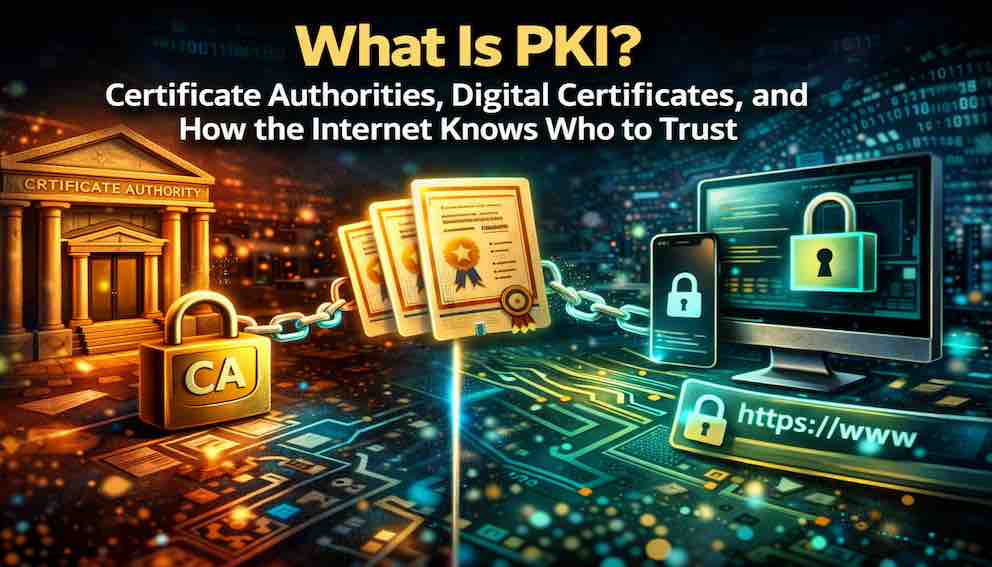
Every time your browser shows a padlock, a Certificate Authority(CA) has verified that the website is who it claims to be. PKI is the system of policies, roles, and technologies that makes this trust possible — binding public keys to real-world identities through digital certificates. This article explains how CAs verify domain ownership and organisational identity, how the certificate hierarchy protects root keys, and why Certificate Transparency makes mis-issuance detectable. You will learn how your browser decides to trust a certificate, where PKI is used beyond HTTPS, and why the system — despite real flaws — works well enough to secure trillions of transactions every day.
A Story: The Government ID System
Imagine you move to a new country. You need to open a bank account, rent an apartment, and get a driver's licence. But no one knows who you are. You are a stranger.
So you go to the government office. You present your birth certificate, your passport from your home country, and proof of your new address. A government official verifies your documents. They check that you are who you claim to be.
Then they issue you a national ID card. The card has your photo, your name, your date of birth, and a unique serial number. It has security features — holograms, microprinting, a digital chip — that make it tamper-evident. The government signs the card with its official seal.
Now you can open a bank account. The bank does not know you personally. But they trust the ID card because they trust the government that issued it. They check the holograms. They verify the seal. They confirm the card has not expired. They trust.
Now let us translate that story into the real technology. Each part of the story corresponds to a real PKI component — as a comparison, not as a literal statement.
- The government in the story plays the same role as a Certificate Authority in the real world. Both are trusted issuers that verify identities before issuing credentials.
- The ID card plays the same role as a digital certificate. Both bind an identity to a credential and include tamper-evident features.
- The security features on the ID card — holograms, the official seal — work like a cryptographic signature. Both make the credential tamper-evident and allow anyone to verify its authenticity.
- The bank plays the same role as a relying party — a browser or application that trusts certificates because it trusts the CA that issued them.
This is PKI. Not the ID card alone. Not the government alone. The entire system — verification, issuance, tamper-evident features, and relying parties — that makes trust possible.
What Is PKI?
Public Key Infrastructure (PKI) is the combination of policies, roles, hardware, software, and procedures required to create, manage, distribute, use, store, and revoke digital certificates.
In simpler terms: PKI is the system that makes digital certificates trustworthy. It answers three fundamental questions:
- How do you know a public key belongs to who it claims to belong to?
- How do you issue certificates only to legitimate entities?
- How do you revoke trust when a certificate is compromised?
Without PKI, anyone could claim to be your bank. They could generate a key pair, create a certificate for yourbank.com, and present it to your browser. Your browser would have no way to distinguish the real certificate from the fake one.
PKI provides the trust anchor. It establishes a small set of trusted Certificate Authorities. Those CAs verify identities and issue certificates. Your browser trusts certificates signed by those CAs. This is the chain of trust that secures the internet.
Why PKI Exists — The Problem It Solves
If Alice wants to send an encrypted message to Bob, she needs Bob's public key. But how does she know that the public key she has actually belongs to Bob? An attacker could give her a fake key.
This is the public key distribution problem — one of the hardest problems in applied cryptography.
There are a few possible approaches, but only one works at internet scale.
Trust on first use. Alice trusts the first public key she receives for Bob. If an attacker intercepts that first exchange, they win permanently. SSH uses this model for server authentication — it works for a server you control personally, but not for the entire web.
Web of trust. Alice trusts Bob's key because Carol — whom Alice already trusts — has signed it. PGP uses this model. It works well for small communities but collapses at internet scale. You cannot ask billions of users to manually curate trust relationships.
Certificate Authorities. Alice trusts a small set of CAs. Those CAs verify identities and issue certificates. Alice checks the CA's signature on any certificate she receives. If the signature is valid and the CA is in her trust list, she accepts it.
The CA model scales. A handful of trusted CAs can issue certificates for millions of domains. Your browser ships with those CAs pre-trusted. You never need to think about it. This is why the CA model won.
Here is how it works in practice: Bob generates a key pair and sends his public key along with proof of identity to a trusted CA. The CA verifies Bob's identity. The CA issues a digital certificate binding Bob's identity to his public key, signed with the CA's private key. Alice obtains Bob's certificate and verifies the CA's signature on it. Alice trusts that the public key belongs to Bob.
The problem is solved — not through mathematics alone, but through a system of trust, verification, and hierarchy.
What Is a Certificate Authority?
A Certificate Authority (CA) is a trusted organization that issues digital certificates. Each certificate binds a public key to an identity — a domain name, an organization, or an individual. But whose public key? The public key of the organization or person requesting the certificate. That organization generates its own key pair, keeps the private key secret, and sends the public key to the CA to be certified. The CA then signs the certificate, vouching that this public key truly belongs to that identity.
The CA exists to answer one critical question: does this public key actually belong to this entity?
When you visit https://yourbank.com, your browser receives a certificate. That certificate claims that the public key inside it belongs to yourbank.com. But anyone could print a certificate making that claim. The browser needs to know whether the claim is true, so it checks who signed the certificate. If the signer is a CA your browser trusts, and that CA has already verified the binding, your browser accepts the certificate.
Notice what the CA does not do. It does not encrypt your data. It does not protect your connection against every possible threat. It performs one essential function: it vouches for the binding between a public key and an identity. Everything else in secure communication depends on that vouching being correct.
Identity Verification
Before issuing a certificate, the CA must verify that the requester is who they claim to be. The depth of that verification depends on the certificate type.
Domain Validation (DV) is the lightest form. The CA confirms only that the requester controls the domain — typically by checking a DNS record, responding to an email at a domain-specific address, or placing a verification file on the web server. This takes minutes and is fully automated. DV certificates are by far the most common. They prove only that someone controls the domain, not who that someone is.
Organisation Validation (OV) goes further. The CA verifies domain control plus the legal existence of the requesting organisation. It checks business registration records, government databases, and may make direct contact. The organisation's name appears in the certificate. Verification takes days.
Extended Validation (EV) is the most rigorous. The CA verifies the organisation's legal existence, physical address, operational status, and the authority of the person making the request. Verification can take weeks. Historically, browsers displayed a green address bar for EV certificates, but that visual treatment has been phased out across all major browsers. The underlying organisational verification remains meaningful, even if it is no longer surfaced visually.
One important caveat applies to all certificate types: the CA verifies that an organisation exists and that the requester has authority to act on its behalf. It does not verify that the organisation is trustworthy, ethical, or secure. A phishing site can obtain a DV certificate in minutes. The padlock means the channel is encrypted — not that the destination is safe.
Certificate Issuance
Once identity is confirmed, the CA assembles the certificate. It contains the entity's public key, the entity's identity (domain name, organisation name), a validity period, a unique serial number, and the CA's digital signature across all of the above.
That signature is what makes the certificate trustworthy. If anyone modifies the certificate after issuance — changing a domain name, swapping a key — the signature becomes invalid and the certificate is rejected.
Certificate Revocation
Not every certificate lives out its natural lifespan. A certificate may need to be invalidated early if the private key is compromised, if the certificate was issued incorrectly, or if the organisation no longer controls the domain. When revocation is required, the CA takes two actions. First, it adds the certificate's serial number to its Certificate Revocation List (CRL) — a simple list of revoked certificates that anyone can download and check. Second, it updates its OCSP responder. OCSP (Online Certificate Status Protocol) is a more efficient alternative: instead of downloading an entire list, a browser can ask the CA's OCSP responder a single question: "Is this specific certificate still valid?" The responder answers "good," "revoked," or "unknown" in real time.
Both mechanisms exist so that browsers can check whether a certificate they are about to trust has been revoked before its expiration date.
Revocation is, candidly, the weakest link in the CA system. Browsers do not always check revocation status consistently, and delays in propagating revocation lists create windows of exposure. The industry's preferred remedy today is short-lived certificates that expire before revocation becomes necessary. More on that in the revocation section below.
The CA Hierarchy — Root, Intermediate, and Leaf Certificates
CAs are not flat. They are organised in a hierarchy, and understanding that hierarchy is essential to understanding how trust flows.
Root CAs
At the top sits the root CA. Its certificate is self-signed — there is no higher authority. Root CA certificates are embedded directly into browsers and operating systems. They are the ultimate anchors of the entire trust system.
Because root CA private keys are so critical, they are kept offline, typically in hardware security modules stored in physically secured facilities. They are used for only one purpose: signing intermediate CA certificates. Root CAs never sign leaf certificates for websites directly.
Intermediate CAs
Intermediate CAs are signed by a root CA and handle the day-to-day work of issuing certificates. Most publicly trusted certificates you encounter come from intermediate CAs, not root CAs directly.
This separation exists for a clear security reason. If an intermediate CA is compromised, the root CA can revoke it. The root CA's private key remains untouched. Only the affected intermediate needs to be replaced. Large CAs operate multiple intermediates scoped to different purposes — one for DV certificates, one for OV and EV, one for code signing, one for email — so that a problem in one area does not affect the others.
Leaf Certificates
The leaf certificate is the end-entity certificate issued to a specific server, device, or user. It is what your browser sees during a TLS handshake.
The full chain looks like this in practice:
Root CA (offline, in secure storage) --> Intermediate CA (handles daily issuance) --> Leaf certificate for yourbank.com
This layered structure is deliberately conservative. The most sensitive key — the root — is exposed as infrequently as possible. Intermediates can be rotated and revoked without touching the root. Trust is preserved even when something goes wrong at a lower level.
How CAs Are Trusted — Root Stores
A CA is only as useful as the number of systems that trust it. Trust is established through something called a root store.
A root store is simply a built-in list of trusted root CAs. Your browser and your operating system come with this list already installed. You do not need to download it or maintain it. It is just there, inside your browser.
Here is how it works. When your browser receives a certificate from a website, it looks at who signed that certificate. It follows the chain of signatures up to the root CA. Then it asks one question: is that root CA on my built-in list? If the answer is yes, the certificate is trusted. If the answer is no, you see a browser warning.
Different browsers and operating systems maintain their own lists. Microsoft has its own list for Windows. Apple has separate lists for macOS and iOS. Google Chrome uses its own list. Mozilla Firefox uses its own list, completely separate from the operating system. A CA must be approved by each of these programs independently to be trusted everywhere.
Getting onto these lists is deliberately difficult. A CA must pass annual third-party audits, meet strict security standards for key storage and identity verification, and sign legal agreements with browser vendors. The process takes years.
This is why, despite millions of active websites, only around 50 to 100 root CAs are globally trusted. The bar is high on purpose.
The CA/Browser Forum — Where the Rules Are Made
The CA/Browser Forum (CA/B Forum) is the governing body of the public CA ecosystem — a consortium of CAs, browser vendors, and other stakeholders that defines the rules all publicly trusted CAs must follow.
Its most important document is the Baseline Requirements for the Issuance and Management of Publicly-Trusted Certificates. These requirements specify how CAs must verify domain control and organisational identity, what must appear in a certificate, how long certificates may be valid, how private keys must be protected, how quickly compromised certificates must be revoked, and what annual audits must cover.
The CA/B Forum also publishes Network and Certificate System Security Requirements, which govern the security of CA infrastructure itself.
Violations carry severe consequences. A CA that breaks the rules can be removed from root stores — effectively destroying its business. This has happened. DigiNotar was removed in 2011 after being breached and issuing fraudulent certificates for hundreds of domains. StartCom and WoSign were distrusted in 2016 after being caught backdating certificates to circumvent the SHA-1 deprecation deadline and concealing their common ownership. Trustico, a certificate reseller, was removed from trust in 2018 after it was discovered to have stored customer private keys and transmitted them over email — a fundamental violation of the principle that private keys must never leave the entity that generated them.
The Core Components of PKI
PKI is not just one thing. It is a system made up of a few key components that work together to issue and manage certificates.
Registration Authority (RA)
The RA is like the front desk of the system. When someone requests a certificate, the RA checks their identity first. If everything looks correct, it passes the request to the Certificate Authority (CA) to be signed.
This separation is important. The CA focuses only on signing certificates, while the RA handles verification. Even if the RA is compromised, the CA remains protected.
Certificate Repository
This is a public storage place where certificates are kept.
When a browser or application needs to check a certificate, it can fetch it from here. Think of it as a directory or database that stores issued certificates so others can access them when needed.
Certificate Management System
This is the system that keeps everything running smoothly over time.
It handles:
- Creating key pairs and certificate requests (CSR)
- Tracking when certificates expire
- Renewing certificates
- Revoking certificates if something goes wrong
- Keeping logs for auditing
In small systems, this might be simple. In large organisations, this becomes a full platform managing thousands of certificates.
The Certificate Lifecycle
PKI manages certificates from creation to destruction across several distinct phases. A certificate is not created once and forgotten. It moves through a lifecycle, from creation to expiration or revocation, with each phase serving a specific purpose in maintaining trust.
Phase 1 — Key Generation and CSR
The process begins with the generation of a public-private key pair. The private key is kept secret. The public key, along with identity information such as the domain name and organisation name, is included in a Certificate Signing Request (CSR).
Phase 2 — Submission and Verification
The CSR is submitted to a Registration Authority (RA) or directly to the Certificate Authority (CA). Verification depends on the type of certificate. For a Domain Validated (DV) certificate, this may involve placing a file on a web server or adding a DNS record. For Organisation Validated (OV) or Extended Validation (EV) certificates, the process is more involved, including checks against business records, government databases, and sometimes direct communication.
Phase 3 — Issuance
Once verification is complete, the CA creates the certificate. It binds the identity information to the public key of the requester and signs the certificate using its private key. The signed certificate is then returned to the requester.
Phase 4 — Deployment and Use
The certificate is installed on a server or application. When a client connects, the server presents the certificate. The client validates it by checking that it chains back to a trusted root CA, that the domain name matches, that the certificate has not expired, and that it has not been revoked.
Phase 5 — Renewal
Certificates are not permanent. Before they expire, a new CSR is generated and the issuance process is repeated. Shorter lifetimes are intentional—they encourage automation and reduce the risk associated with compromised keys.
Phase 6 — Revocation
If a private key is compromised, the certificate must be revoked before its natural expiration. The CA marks the certificate as no longer trusted by adding it to its revocation records and updating its status services. Any client that checks this status will treat the certificate as invalid, even if it is otherwise within its validity period.
Certificate Revocation in Detail
PKI provides several ways to check whether a certificate is still valid before it reaches its expiration date. This matters because a certificate can become unsafe long before it naturally expires.
Certificate Revocation List (CRL)
One of the earliest approaches is the Certificate Revocation List. The CA periodically publishes a list of revoked certificate serial numbers. Clients download this list and check whether the certificate they received appears on it.
The idea is simple, but it has limitations. Over time, these lists grow large, and updates are not instant. A revoked certificate may still appear valid for hours until the next list is downloaded.
Online Certificate Status Protocol (OCSP)
A more real-time approach is OCSP. Instead of downloading a full list, the client asks the CA directly about a specific certificate. The CA responds with a simple answer: “good,” “revoked,” or “unknown.”
This is faster and more precise, but it introduces new concerns. It requires a live connection to the CA, which creates both a reliability dependency and a privacy issue—the CA can see which sites the client is checking.
OCSP Stapling
OCSP Stapling shifts this responsibility to the server. Instead of the client contacting the CA, the server periodically fetches the OCSP response itself and includes it during the TLS handshake.
This removes the need for the client to contact the CA, improving both privacy and reliability. The trade-off is that the server must support and maintain this additional step.
Browser-Maintained Lists
Modern browsers also maintain their own local lists of revoked certificates, focusing on high-risk cases. These lists are compressed, updated regularly, and checked instantly during browsing.
This approach is fast and private, since no external request is needed. However, it is not comprehensive. These lists cover only a subset of certificates and are not truly real-time.
Certificate Transparency — Making CAs Accountable
Certificate Transparency (CT) is the industry's primary answer to undetectable mis-issuance.
Before CT existed, a CA could issue a certificate for any domain and the domain owner would have no way to discover it. A rogue or compromised CA could silently issue certificates enabling interception of traffic to any site on the internet, and the attack might go undetected indefinitely.
CT addresses this by requiring CAs to log every certificate they issue to one or more public, append-only cryptographic logs. These logs record every issuance in a way that can be audited by anyone. Each log entry produces a Signed Certificate Timestamp (SCT), which is embedded in the certificate itself or delivered during the TLS handshake.
Domain owners can monitor CT logs for certificates issued for their domains. If they see a certificate they did not request, they know something is wrong — and they can act quickly.
Browsers now require CT compliance. A certificate that lacks valid SCTs is not trusted. CT does not prevent mis-issuance, but it makes mis-issuance detectable, which fundamentally changes the cost-benefit calculus for any attacker relying on it going unnoticed.
Public PKI vs Private PKI
Not all PKI serves the same purpose.
Public PKI secures the public internet. Root CAs are trusted by default in browsers and operating systems. Anyone can obtain a certificate from a public CA provided they can prove domain control or organisational ownership. Public PKI is used for HTTPS websites, public-facing APIs, code signing, and email encryption.
Private PKI is operated by an organisation for internal use. The root CA is not trusted by public browsers — instead, the organisation deploys its root CA certificate to the trust stores of its own devices and applications. Private PKI is used for internal services, microservice mutual TLS (mTLS), VPN authentication, IoT device identity, and employee certificates. The organisation controls the entire trust chain.
Use a public CA for any certificate that will be presented to the public internet. Use a private CA for internal systems where you control every client that will verify the certificate. Many organisations use both: public PKI for external websites, private PKI for internal service-to-service communication.
Major Public CAs
A handful of CAs dominate the public certificate market, each with different positioning.
Let's Encrypt is a non-profit CA that issues free, automated, domain-validated certificates. Launched in 2016, it now issues hundreds of millions of active certificates and has fundamentally transformed the TLS landscape by making HTTPS free and frictionless. Certificates are valid for 90 days and renewed automatically via the ACME protocol (Automated Certificate Management Environment). Let's Encrypt is the right choice for personal websites, blogs, open-source projects, and any organisation that needs only DV certificates.
DigiCert is a commercial CA focused on high-assurance certificates. It acquired Symantec's CA business in 2017 and is now one of the largest CAs globally by revenue. DigiCert offers DV, OV, and EV certificates, along with code signing and S/MIME certificates, and is a common choice for enterprises and financial institutions that need OV or EV validation.
Sectigo (formerly Comodo) is a large commercial CA known for competitive pricing on DV certificates and a broad reseller network. It covers the full range of certificate types and is common among cost-conscious organisations and certificate resellers.
GlobalSign focuses on enterprise customers and managed PKI services, including solutions for IoT device certificates at scale.
Google Trust Services operates Google's own public CA, used primarily for Google's properties and Google Cloud customers.
Where PKI Is Used
PKI is embedded throughout modern computing, often in ways that are invisible unless something goes wrong.
TLS/HTTPS. The padlock icon in your browser is the most visible use of PKI. The server's certificate is issued by a CA, and your browser verifies the chain back to a trusted root before allowing the connection.
Code signing. When a developer signs an executable or installer, they use a code signing certificate issued by a CA. Your operating system verifies the signature before allowing the software to run, preventing attackers from distributing malicious software under a trusted name.
Email encryption (S/MIME). S/MIME certificates bind an email address to a public key, enabling end-to-end encrypted and signed email. The recipient's client verifies the sender's certificate using the CA's public key.
VPN and client authentication. Enterprise VPNs often use client certificates instead of passwords. The VPN server verifies the certificate issued by the organisation's private CA. The same model extends to employee access to internal systems.
Microservice mTLS. In zero-trust architectures, services authenticate each other using mutual TLS. Each service holds a certificate issued by a private CA, and services verify each other's certificates before communicating.
IoT device identity. IoT devices are often provisioned with device certificates during manufacturing. The device uses this certificate to authenticate to cloud services, preventing unauthorised devices from joining the network.
Document signing. Digital signatures on PDFs and contracts use PKI. The signer's certificate is issued by a CA, and the recipient's software verifies both the certificate chain and the signature to confirm authenticity and detect tampering.
How Your Browser Decides to Trust a Certificate
When your browser connects to an HTTPS website, it performs a chain of trust checks automatically.
The server presents its leaf certificate along with any intermediate certificates needed to complete the chain. Your browser checks whether the issuing intermediate CA is trusted — either directly in the trust store, or via a chain back to a root CA in the trust store. It verifies the digital signature on the leaf certificate using the intermediate CA's public key, and the signature on the intermediate certificate using the root CA's public key.
Beyond signatures, the browser checks that the certificate has not expired, that the domain name in the address bar matches the Subject Alternative Name field in the certificate, and that the certificate has not been revoked.
If every check passes, the browser trusts the certificate and proceeds with the TLS handshake. If any check fails, you see a security warning.
Your browser does not need to know every website on the internet personally. It trusts a curated set of root CAs. Those root CAs trust their intermediate CAs after rigorous vetting. Those intermediates trust individual websites after verification. The chain is only as strong as its weakest link.
PKI Weaknesses and Real-World Failures
PKI is the best system available for establishing internet trust, but it has meaningful structural weaknesses.
Compromised CAs. A CA that is breached can issue fraudulent certificates for any domain. In 2011, Dutch CA DigiNotar was compromised, resulting in fraudulent certificates for Google, Yahoo, and hundreds of other domains. DigiNotar was removed from all major trust stores and went out of business. The incident directly motivated the creation of Certificate Transparency.
Weak verification. A CA that cuts corners on identity verification can issue certificates to attackers. Browsers maintain strict inclusion policies, and CAs that violate them can be distrusted. Several CAs have faced sanction over the years for verification failures.
Mis-issued certificates. Even well-intentioned CAs make mistakes. A certificate may be issued with incorrect domain names or to the wrong entity. Certificate Transparency makes these errors discoverable by making every issuance a matter of public record.
Revocation failures. Revocation checking is not enforced consistently across all browsers in all scenarios. A revoked certificate may remain trusted if the browser skips the check. OCSP Stapling improves reliability, but adoption is not universal.
Certificate expiration outages. The most common PKI failure is not a security failure — it is an operational one. An expired certificate causes a service to become unavailable. Major outages at Microsoft, Slack, and others have been caused by certificates that were not renewed in time. This is a failure of certificate lifecycle management, not of cryptography.
The single point of trust problem. Your browser trusts more than 100 root CAs. Any one of them can issue a certificate for any domain. If any single CA is compromised, every domain on the internet is at risk. This is a structural property of the CA model, not an implementation defect — and no amount of policy fully resolves it. Certificate Transparency mitigates the impact by making fraudulent issuance detectable, but the underlying concentration of trust remains.
PKI Trends — What Is Changing
PKI is not a fixed system. It continues to evolve in response to new security threats, changes in how systems are built, and advances in cryptography.
Short-lived certificates
One of the biggest shifts is toward shorter certificate lifetimes. Services like Let’s Encrypt popularised certificates that expire in 90 days, pushing organisations to automate renewal.
This trend is becoming stricter. The CA/Browser Forum has decided to reduce maximum certificate lifetimes to 47 days by 2027. The goal is simple: if a key is compromised, the damage window is much smaller. Over time, this also reduces how much we rely on revocation mechanisms.
Certificate Transparency
Today, every publicly trusted certificate must be recorded in public logs known as Certificate Transparency (CT) logs. These logs are append-only, meaning entries cannot be secretly removed or altered.
Browsers require proof that a certificate has been logged. Without this proof, the certificate is not trusted. This makes it much harder for a CA to issue a fraudulent certificate without being noticed.
Automated certificate management
As certificate lifetimes shrink, manual handling becomes impractical. This has led to widespread adoption of automation.
Protocols like ACME, used by Let’s Encrypt, allow systems to request, renew, and install certificates automatically. In large organisations, dedicated platforms manage thousands of certificates across different services and environments.
Post-quantum PKI
Looking further ahead, quantum computing presents a fundamental challenge. The cryptographic algorithms used in today’s PKI, such as RSA and elliptic curve cryptography, are expected to become vulnerable once sufficiently powerful quantum computers exist.
In response, new standards are being developed. Organisations like National Institute of Standards and Technology (NIST) have already defined the first set of post-quantum algorithms. Transitioning to these will take years and will require careful, system-wide changes.
Zero trust and mTLS
At the same time, system architecture is changing. Traditional models assumed that internal networks were safe. Modern “zero trust” approaches remove that assumption.
Every request must now be verified, even within the same system. This is driving the use of mutual TLS (mTLS), where both sides of a connection authenticate each other using certificates. As a result, PKI is no longer just for securing websites—it is becoming a core part of how services communicate securely with each other.
What to Take Away
PKI is the framework that makes digital certificates trustworthy. It solves the public key distribution problem through Certificate Authorities, a verification hierarchy, revocation mechanisms, and — increasingly — transparency logs and short lifetimes that make the system self-correcting.
A Certificate Authority verifies identity, signs the certificate, and can revoke it when necessary. The depth of that verification — DV, OV, or EV — determines what the certificate actually proves about who is on the other end.
The certificate hierarchy isolates risk. Root keys stay offline. Intermediate CAs handle day-to-day issuance. Different intermediates can be scoped, rotated, and revoked independently. Compromise at one level does not require burning the whole system.
Trust flows through root stores. Browsers ship with a curated set of trusted root CAs. If a certificate chains back to one of them, it is trusted. That small list of root CAs, managed through the CA/B Forum and individual browser programmes, is the single most important trust mechanism on the internet.
The system has real weaknesses — compromised CAs, revocation failures, the structural concentration of trust in a handful of organisations. Certificate Transparency makes the worst failures detectable. Short-lived certificates are becoming the primary mitigation for the revocation problem. And the CA/B Forum keeps raising the bar.
PKI has been attacked, abused, and repaired. Understanding its failure modes is as important as understanding how it is supposed to work.
Closing: The Government ID Revisited
Return to the government ID analogy — though keep in mind it is just an analogy.
The government verifies your identity and issues an ID card. The ID card binds your identity to your photo and signature. The bank trusts the card because it trusts the government. In PKI, the Certificate Authority verifies a website's identity and issues a digital certificate. The certificate binds the domain name to its public key. Your browser trusts the certificate because it trusts the CA.
The analogy holds reasonably well. Where it breaks down: the internet has no single government. There is no one authority that everyone trusts by default. Instead, there is a network of Certificate Authorities, root programmes, and technical standards that collectively create trust. That network is maintained not by a sovereign but by a consortium of browser vendors, CAs, and auditors working under the CA/Browser Forum's rules.
It is not a perfect system. CAs have been compromised. Certificates have been issued fraudulently. But the system has been repaired — with Certificate Transparency, shorter certificate lifetimes, and increasingly automated revocation checking.
It works well enough for your browser to show a padlock icon, and for trillions of transactions to clear every day.
Understanding PKI — its components, its strengths, its failure modes — is essential to understanding how trust functions on the internet. Not perfect trust. Not absolute trust. But enough trust for the web to work.
About N Sharma
Lead Architect at StackAndSystemN Sharma is a technologist with over 28 years of experience in software engineering, system architecture, and technology consulting. He holds a Bachelor’s degree in Engineering, a DBF, and an MBA. His work focuses on research-driven technology education—explaining software architecture, system design, and development practices through structured tutorials designed to help engineers build reliable, scalable systems.
Disclaimer
This article is for educational purposes only. Assistance from AI-powered generative tools was taken to format and improve language flow. While we strive for accuracy, this content may contain errors or omissions and should be independently verified.