
Learning Paths
Last Updated: April 8, 2026 at 19:30
How HTTPS Works: TLS Handshake, SSL vs TLS, and What the Padlock Really Means
A complete guide to TLS — how the handshake secures your connection, why SSL was replaced, and how certificates verify you're talking to the right website
HTTPS security runs on TLS, not SSL—and understanding that difference matters. This guide explains how the TLS handshake establishes a secure connection, how certificate validation prevents impersonation, and why concepts like forward secrecy and Certificate Transparency are essential to the trust model. It also makes clear where TLS stops, so you understand exactly what it protects—and what it does not.
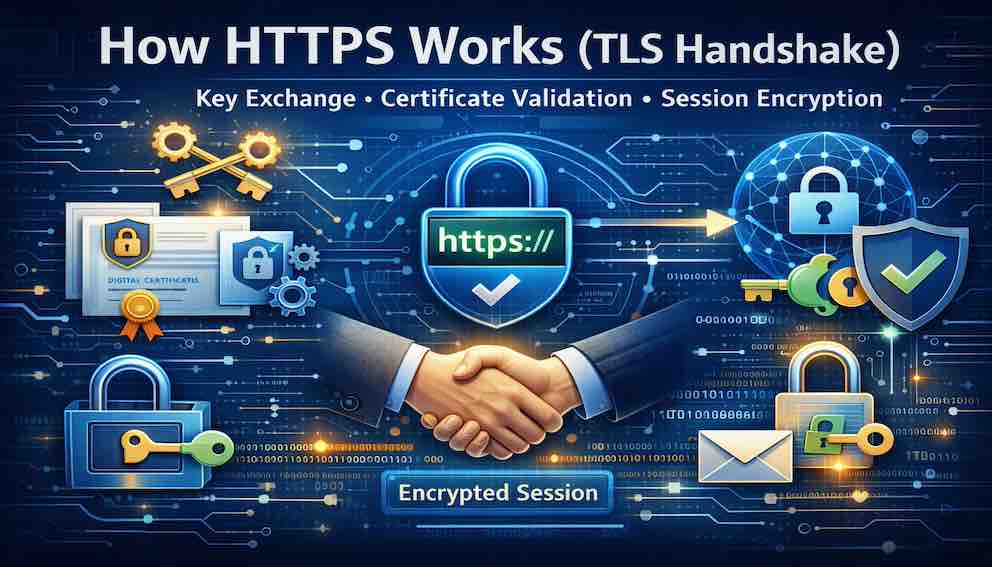
Every time you see a padlock icon in your browser’s address bar, a quiet but complex process is protecting your connection. That padlock represents HTTPS—and behind it is a protocol called TLS.
TLS encrypts everything between your browser and the website you are visiting. Your passwords, credit card numbers, and private messages all become unreadable to anyone watching the network.
You have probably heard this protocol called something else: SSL. People still say “SSL certificate,” “SSL handshake,” and “SSL encryption.” Even many tools and websites continue to use that name.
The reality is simpler: SSL is no longer used. It has been replaced by TLS. The old name survived out of habit, and that habit is the source of most of the confusion.
This article explains how HTTPS actually works—the handshake that establishes every secure connection, the certificate validation that builds trust, and why “SSL” is still used as shorthand for TLS.
A Story: The Sealed Envelope
Imagine you need to send a confidential letter to a business across town. You write your message, place it in an envelope, and drop it into a mailbox. But anyone who handles that envelope—the postal worker, the driver, the clerk—could open it and read what you wrote.
You face two problems. First, how do you ensure the letter reaches the correct business and not an imposter? Second, how do you ensure no one reads it along the way?
TLS solves both.
Before sending anything sensitive, your browser verifies that the website is legitimate using certificates. This ensures you are sending your letter to the right recipient.
Then it encrypts your message before it leaves your computer—like placing it inside a sealed envelope that only the intended recipient can open. Anyone intercepting it sees only a sealed package.
But this raises a deeper question: how do you and the recipient agree on how to lock and unlock that envelope in the first place?
You cannot include the key inside the envelope—that would defeat the purpose. And you cannot send the key separately in the open—someone could intercept it.
This is the core problem TLS must solve.
The solution is a clever exchange that happens at the start of the connection. Your browser and the server use asymmetric cryptography to securely agree on a shared secret—without ever openly sending that secret across the network.
This step is more computationally expensive, so it is used only once. After both sides arrive at the same shared secret, they switch to a much faster form of encryption using a temporary key derived from that secret.
This entire process—identity verification, key agreement, and setup of secure communication—is called the TLS handshake.
What Is TLS?
TLS (Transport Layer Security) is the protocol that secures communication between your browser (the client) and a website (the server). It provides three core guarantees, achieved through a combination of the handshake and the encrypted session:
- Confidentiality (Encryption) — Data is encrypted using session keys established during the handshake, so anyone intercepting it sees only unreadable output
- Authentication (Identity Verification) — During the handshake, your browser verifies that it is talking to the correct website using certificates
- Integrity (Tamper Detection) — Encryption ensures that any modification of data in transit is detected and rejected
These three guarantees—confidentiality, authentication, and integrity—form the foundation of secure communication on the internet.
SSL vs TLS: Why the Name Still Exists
SSL (Secure Sockets Layer) was the original protocol, developed in the 1990s. It made encrypted web communication possible, but it was built for a very different internet.
Over time, serious vulnerabilities were discovered in SSL. It could no longer provide strong security.
TLS was created as its replacement. The first version, TLS 1.0, was based on SSL 3.0 but improved its design. Over time, TLS evolved while SSL was completely retired.
Today, SSL is effectively dead. Modern browsers and servers disable it entirely.
The confusion exists because the terminology never caught up. When people say “SSL certificate,” they almost always mean a TLS certificate. The name is outdated, but the intent is understood.
TLS 1.2 is the current minimum acceptable standard. TLS 1.3 is faster, simpler, and more secure. Older versions—TLS 1.0, TLS 1.1, and all versions of SSL—are deprecated and should not be used.
The Two Phases of TLS
TLS operates in two phases.
The first is the handshake, which happens once at the start of the connection. The client and server agree on algorithms, verify identity, and establish a shared secret. This phase uses asymmetric cryptography, which is computationally expensive but necessary.
The second is the encrypted session, where all application data is transmitted using symmetric encryption. This is fast and efficient.
This combination—secure setup followed by fast communication—is what makes TLS practical.
The TLS Handshake — Step by Step
Here is how a modern TLS 1.3 handshake works.
Step 1: Client Hello
Your browser begins by sending a message containing the TLS versions it supports, a list of cipher suites, a random value, and a key share — a public value used for key exchange. It also includes the domain name it wants to reach, called Server Name Indication (SNI).
This SNI field is important — and imperfect. It is sent in plaintext, which means a network observer can still see which domain you are connecting to, even though the rest of the connection is encrypted. A newer extension called Encrypted Client Hello (ECH) is designed to fix this by encrypting the SNI itself, but it is not yet universally deployed.
Step 2: Server Hello and Key Exchange
The server selects the TLS version and cipher suite and responds with its own key share — its public value for the key exchange.
Now both sides have what they need to create a shared secret. Your browser has its own private secret (which it never shares) and the server's public value (which the server just sent). The server has its own private secret (which it never shares) and your browser's public value (which you sent in Step 1).
Each side combines its own private secret with the other side's public value. By the mathematics of Diffie-Hellman, both calculations produce the exact same result — a shared secret known only to the browser and the server. An attacker who watches the entire exchange sees only the two public values and cannot compute this secret.
This shared secret is never transmitted. Both sides derived it independently.
Step 3: Server Certificate
The server sends its certificate chain — the leaf certificate for the website, plus any intermediate certificates needed to connect it to a trusted root CA.
Step 4: Browser Validates the Certificate
Before proceeding, your browser stops and checks the certificate. It asks several questions:
- Is the certificate trusted? It follows the chain of signatures up to a root CA. Is that root CA on its built-in trusted list?
- Does the domain match? It compares the domain name in the address bar to the domain name in the certificate.
- Is it within its validity period? It checks the not-before and not-after dates.
- Has it been revoked? It checks the CA's revocation status.
If any of these checks fail, your browser shows a warning and stops the handshake. Only if all checks pass does the handshake continue.
Step 5: Certificate Verify
Now the server proves it actually owns the private key that matches the public key in the certificate. It signs a transcript of the handshake messages so far using its private key. Your browser verifies this signature using the public key from the certificate.
This step is critical. An attacker could copy a valid certificate from a real website and present it to you. But without the matching private key, they cannot produce this signature. Your browser would detect the forgery immediately.
Step 6 & 7: Finished Messages
Both sides exchange encrypted "finished" messages, confirming that the handshake was not altered and that both derived the same keys.
At this point, the secure connection is established.
Certificate Validation — Why You Can Trust the Server
Encryption alone is not enough. You must also trust who you are talking to.
Your browser performs several checks:
- The certificate chain leads to a trusted root authority
- The domain name matches the certificate
- The certificate is within its validity period
- The certificate has not been revoked (checked via mechanisms like OCSP and CRLs, often improved using OCSP stapling)
- The certificate’s signature is valid
There is one more check that is less visible but equally important: Certificate Transparency (CT).
Every publicly trusted certificate must be recorded in public, append-only CT logs. These logs are maintained by independent operators and are designed to be auditable by anyone. Browsers require proof that a certificate has been logged—this proof is called a Signed Certificate Timestamp (SCT). If this proof is missing, the certificate is rejected.
The purpose of CT is simple but powerful: it makes fraudulent certificate issuance detectable. If a CA issues a certificate for your domain without your knowledge, it will appear in a public log where it can be discovered.
Only when all these checks pass does your browser show the padlock.
How Key Exchange Works (Without the Math)
Both sides need a shared secret, but they cannot send it directly.
Instead, each side creates a private value and shares a corresponding public value. Using these, both independently compute the same shared secret.
An eavesdropper can see the public values, but cannot realistically derive the secret.
TLS 1.3 uses ephemeral Diffie-Hellman, meaning new keys are generated for every session and discarded afterward.
This provides forward secrecy. Even if a server’s private key is compromised later, past sessions remain secure.
Session Keys — Where Encryption Actually Happens
After the handshake, both sides derive session keys from the shared secret.
These keys are used to encrypt all data exchanged during the session. Modern TLS uses authenticated encryption modes such as AES-GCM and ChaCha20-Poly1305, which combine encryption and integrity checking in a single step.
From this point on, every request and response is encrypted.
TLS 1.2 vs TLS 1.3 — What Changed
TLS 1.3 is a significant improvement.
It reduces handshake time from two round trips to one. It removes weak and outdated cryptographic options. It enforces forward secrecy. It encrypts more of the handshake, improving privacy.
It also supports faster session resumption (0-RTT), allowing returning clients to send data immediately. This comes with a trade-off: early data can be replayed by an attacker. In simple terms, if an attacker captures that early request, they may be able to send it again to the server. For this reason, 0-RTT is used carefully, typically only for operations where repeating the request does not cause harm.
The practical guidance is simple: use TLS 1.3 wherever possible.
Where TLS Is Used — Beyond HTTPS
TLS is not limited to web browsing. It is a general-purpose security layer used across many protocols.
Web browsing (HTTPS)
The most visible use. When you visit a site over HTTPS, TLS encrypts page content, form submissions, and everything you send or receive.
Email (SMTPS, IMAPS, POP3S)
Email clients use TLS to encrypt communication with mail servers. Without it, emails—including usernames and passwords—can travel in plaintext.
Messaging apps
Applications like Signal and WhatsApp use TLS to secure the connection to their servers. End-to-end encryption may sit on top of this, but TLS protects the transport layer.
API calls
Modern applications and microservices communicate over TLS by default. Most APIs today reject unencrypted HTTP connections entirely.
File transfers (FTPS)
Traditional FTP sends credentials and data in plaintext. FTPS wraps FTP in TLS, securing the connection.
Directory services (LDAPS)
Enterprise systems use LDAP to manage users and permissions. LDAPS protects these queries from being intercepted.
VPNs
Some VPN protocols use TLS as part of the mechanism that establishes secure tunnels.
Database connections
Databases such as PostgreSQL and MySQL support TLS connections, ensuring that queries and results are not exposed on the network.
The pattern is consistent: any protocol that carries sensitive data can be secured by running it over TLS.
What TLS Does Not Do
TLS is powerful, but it is only one layer of security.
It does not protect data stored on servers. It does not protect your device from malware. It does not guarantee that a website is trustworthy—only that you are connected to the correct one.
It also does not fully hide your destination. Observers can still see the server’s IP address. The SNI field, sent in plaintext in most TLS connections today, can also reveal the hostname. Technologies like Encrypted Client Hello aim to address this, but they are still being adopted.
Understanding these limits is just as important as understanding its strengths.
What to Take Away
After reading this article, you should understand:
- What TLS is — the protocol that provides encryption, authentication, and integrity for web browsing and many other applications
- The difference between SSL and TLS — SSL is dead; TLS is the modern standard
- Why people still say "SSL certificate" — a naming hangover from the 1990s
- How the TLS handshake works — client hello, server hello, certificate exchange, key agreement, and finished messages
- How certificate validation works — trust stores, domain matching, expiration, revocation via OCSP and CRLs, and Certificate Transparency
- What SNI is and its privacy implications — the hostname is sent in plaintext today; ECH is the emerging solution
- What forward secrecy means — past sessions stay safe even if the server's private key is stolen later
- The 0-RTT caveat — faster session resumption comes with replay attack risk
- What TLS does not do — it does not protect data at rest, your device, or make a website trustworthy
- Where TLS is used — HTTPS, email, messaging apps, API calls, file transfers, directory services, VPNs, and database connections
TLS is not the only security layer you need, but it is the foundation everything else rests on. Without it, every other protection is defending a channel that anyone can read. With it, the channel itself is secure. That padlock is not a decoration. It is proof of work.
The Bottom Line
TLS is the protocol that makes secure communication on the internet possible. It encrypts your data, verifies identity, and ensures integrity—quietly, and at scale.
SSL was its predecessor, but it is no longer used. TLS replaced it and continues to evolve.
The terminology may be outdated, but the system is not.
That small padlock in your browser is not decoration. It represents a complete process: identity verification, key exchange, and encryption happening in milliseconds.
You do not see it working. But it is one of the foundations of the modern internet—and you would notice immediately if it stopped.
About N Sharma
Lead Architect at StackAndSystemN Sharma is a technologist with over 28 years of experience in software engineering, system architecture, and technology consulting. He holds a Bachelor’s degree in Engineering, a DBF, and an MBA. His work focuses on research-driven technology education—explaining software architecture, system design, and development practices through structured tutorials designed to help engineers build reliable, scalable systems.
Disclaimer
This article is for educational purposes only. Assistance from AI-powered generative tools was taken to format and improve language flow. While we strive for accuracy, this content may contain errors or omissions and should be independently verified.