
Learning Paths
Last Updated: April 25, 2026 at 12:30
Observability in Microservices: Why Logs, Metrics, and Traces Alone Are Not Enough
A practical guide to observability in microservices—covering logs, metrics, traces, correlation IDs, SLOs, and how to debug distributed systems in production
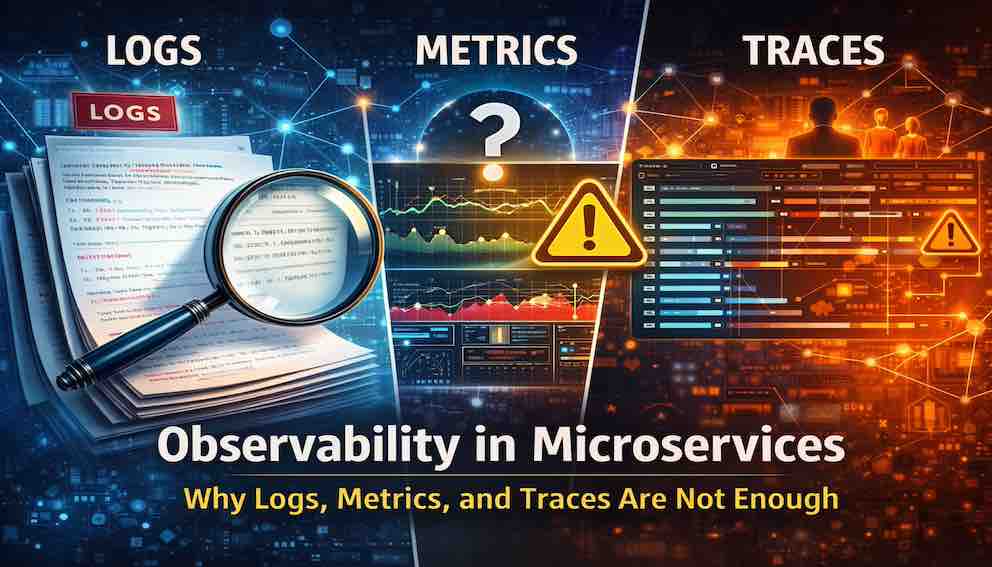
Most engineering teams can see their systems. Very few can explain them. This guide builds the complete picture of observability in microservices from the ground up — starting with why traditional monitoring breaks down, through the three pillars of logs, metrics, and traces, to the alerting and design principles that separate teams who debug in minutes from teams who debug in hours.
The Gap Between Seeing and Explaining
Imagine this scenario.
Your dashboards are green. CPU is normal. Memory is fine. Error rates are at zero. Every metric your team tracks looks exactly the way it should.
But customers are complaining that orders placed on your platform are taking hours to move from “placed” to “shipped,” instead of the expected five minutes.
You open your monitoring tools. Nothing looks wrong. You check your servers. Everything is healthy. You refresh your dashboards. Still green.
This is the moment most teams realise they have a problem they did not know how to prepare for.
They can see their system. But they cannot explain it.
That gap — between seeing and explaining — is what observability solves.
Observability in microservices is not about having more dashboards. It is about being able to answer questions about your system's behaviour that you did not think to ask in advance.
Why Microservices Make Debugging Hard
In a monolith — a single, large application — debugging is relatively straightforward. A request enters, it follows a predictable path through your code, and you can trace every step. If something breaks, you can often step through the code directly with a debugger.
In microservices, none of that is true.
A single user request might touch ten different services. Each of those services might call three more. Events get published to queues and consumed minutes later by a completely different part of the system. One service fails while all the others keep running. An error in one place causes a failure somewhere else entirely — ten seconds later, in a completely different service.
This creates three types of failures that traditional debugging cannot handle:
Distributed failures. There is no single place to look. The failure is spread across multiple services and machines.
Time-shifted failures. An error happens in Service A. The consequence shows up in Service B thirty seconds later. The two events look unrelated unless you have a way to connect them.
Probabilistic failures. The system works correctly 99.9% of the time. That 0.1% is almost impossible to reproduce locally because you cannot recreate the exact combination of traffic, timing, and state that triggered it.
In a monolith, you debug code. In microservices, you debug interactions over time.
Observability in microservices is the discipline — and the tooling — that makes distributed, time-shifted, and probabilistic failures understandable. Without it, microservices debugging becomes guesswork.
Monitoring vs Observability vs Debuggability
When something breaks in production, there are really only three questions you can ask:
- Is something wrong?
- What exactly happened?
- Why did it happen?
These map to three distinct capabilities. Understanding the difference helps you build the right tools for the right question.
Monitoring — "Is something wrong?"
Monitoring tracks known failure modes through predefined dashboards and thresholds. It answers: is the system up, and are the metrics I already care about within acceptable ranges?
"CPU above 80%" is monitoring. "Error rate above 1%" is monitoring. It works well for failures you expected in advance and wrote a check for.
The limitation is that monitoring only detects failures you predicted. Novel failures — the kind you have never seen before — do not trip any checks. The dashboards stay green while something genuinely wrong is happening.
Observability — "Why is something wrong?"
Observability allows you to ask new questions about your system's behaviour — questions you did not think to ask when you were building it.
"Why is checkout latency spiking specifically for users in France on Tuesday evenings?" is an observability question. You did not write a check for it. But with the right data and tooling, you can answer it.
Observability works for failures you did not anticipate. It is what separates teams who debug in minutes from teams who debug in hours.
Debuggability — "Can I inspect internal state directly?"
Debuggability means attaching a debugger to a running process, reading a core dump, or stepping through code line by line. It is how you debug on your laptop.
In production microservices, this is almost never possible. You cannot attach a debugger to a live service without stopping it.
Observability is the production-safe alternative. Since you cannot inspect internal state directly, you infer it from external signals — logs, metrics, traces, and the connections between them.
Monitoring tells you when something is wrong. Observability tells you why. Debuggability lets you see inside — but in production microservices, that option rarely exists.
A Real Failure Story: The Silent Order Disaster
Before going into the technical details, here is a concrete story that shows exactly why traditional monitoring fails — and what observability would have revealed.
The setup
An e-commerce company runs 12 microservices. Orders are supposed to ship within five minutes of being placed.
What the team sees
All dashboards are green:
- Shipping service CPU: 30% — normal
- Memory usage: normal
- Error rates: 0%
- Database: no slow queries, no locks
- Queue: 50,000 messages, being processed
Nothing is alerting. Everything looks fine.
What the team assumes
The system is working.
What is actually happening
A downstream API call to a shipping carrier has silently slowed down. Instead of taking two seconds per message, it now takes thirty seconds.
Each message takes fifteen times longer to process. The queue is technically draining — but so slowly that new orders pile up faster than they are processed. Orders that should ship in five minutes now take hours.
Why monitoring failed
The metrics showed the queue was being processed — which was true. But no metric tracked how fast it was being processed. No metric estimated how long it would take to drain. No check was configured for processing latency per message, because the team had never thought to track it.
What observability would have revealed
- A distributed trace showing the full journey of one order: from creation, through the queue, into the shipping service, and out to the carrier API — with the 30-second carrier call visible as a bright red span
- A metric tracking p99 (the slowest 1% of requests) processing time per queue message — not just queue depth
- An alert based on estimated queue drain time, which would have fired hours earlier
We will define and explain all of these — traces, p99 metrics, and SLO-based alerts — in the sections that follow.
The lesson
All dashboards were green. The system looked successful. But it was failing silently.
The most dangerous failures are the ones that look like success.
The Three Pillars of Observability
Logs, metrics, and traces are the three core data types that make up an observable system. Each one answers a different question. Each one has different strengths and different limitations.
Understanding what question each pillar answers is more important than knowing which tool to install.
Metrics — "What is happening right now?"
Think of metrics like a car dashboard.
They show you speed, fuel level, and engine temperature at a glance. But they cannot tell you why the engine is making a strange noise. For that, you need to open the bonnet.
A metric is a number measured over time. Metrics compress millions of individual events into a few numbers that can be graphed, compared, and used to trigger notifications when something crosses a threshold.
That makes them fast to query and easy to act on.
But it also means something important is lost: detail. Metrics show you that something is happening. They rarely show you why.
The most important metrics to collect:
- Latency percentiles — p50, p95, p99, p999. Never track only averages. Averages hide the worst-case experience. If your p99 latency is 2000ms, one in every hundred users is waiting two seconds — even if your average is 100ms.
- Error rates — the percentage of requests that fail, per service.
- Throughput — how many requests per second your service is handling.
- Saturation signals — queue depth, connection pool usage, thread pool utilisation. These tell you when a service is approaching its limits.
- Downstream dependency latency — the latency of every external service or database you call. This is where the silent order failure would have been caught.
The limitation of metrics:
A spike in error rates tells you something is wrong. It does not tell you which specific requests failed, which users were affected, or why the failure happened.
Metrics show symptoms. They do not show causes.
Metrics are your early warning system. They tell you the car is overheating — not what caused it.
Logs — "What exactly happened?"
Think of logs like a diary.
They record what happened, line by line, in the order it happened. A diary is useful when you need to understand the sequence of events — but only if it is written clearly enough for someone else to read.
A log is a discrete, timestamped record of an event. Logs are the narrative of your system — a sequential account of what happened and when.
But logs are only useful if they are structured.
Unstructured log line:
You can read this. You cannot query it. You cannot filter by user ID. You cannot group by error reason. You cannot join it with logs from another service.
Structured log line:
This is queryable. You can filter by user_id, group by reason, and — crucially — search by request_id to find every log line related to the same request across every service. We will explain what request_id is and why it matters in the next section.
Key rules for useful logs:
- Use structured JSON format consistently across every service
- Use the same field names in the same format, always
- Never log sensitive data — mask card numbers, passwords, and personal identifiers before they reach your logging pipeline
- Include a correlation ID in every single log line (explained in the next section)
A note on log volume:
Not every log line needs to be kept forever. A practical approach is to retain all ERROR and WARN lines — these are what you will need during an incident — and sample INFO lines at around 10% to keep storage costs manageable.
The limitation of logs:
A single log line tells you that a specific thing happened at a specific time. It does not tell you how that event relates to other events happening concurrently across five other services. For that, you need traces.
Logs are your diary. Useful for reading what happened — but one entry cannot tell you the full story.
Traces — "How did this request flow?"
Think of a distributed trace like a GPS route.
It does not just tell you where you ended up — it shows the full journey from start to finish, every turn, every delay, and exactly where you got stuck.
A trace represents the complete journey of one request through your system. It is made up of spans — individual units of work. Each span represents one operation: a service call, a database query, a queue publish, an external API call.
Spans are linked together by a shared trace ID, so you can reconstruct the full picture:
This is what a trace reveals that logs cannot. You do not just know that an error occurred — you know where in the chain it originated, which services were affected downstream, and exactly how long each hop took.
The limitation of traces:
A trace shows you one request's journey. It does not show aggregate patterns across thousands of requests — for that, you need metrics. And while a trace shows the structure of what happened, the detailed context of each event lives in your logs.
Traces are your GPS route. They show the full journey — and exactly where the detour happened.
Metrics show symptoms. Logs show events. Traces show causality. Observability is the ability to move fluidly between all three.
The Fourth Pillar: Correlation
Most explanations of observability stop at logs, metrics, and traces. That is not enough.
Logs, metrics, and traces without correlation are just three disconnected stories.
You see a metric spike in one window. You find a suspicious trace in another. You have a wall of log lines in a third. But without a way to connect them to the same event, they are three separate views of a system that cannot talk to each other.
The glue that connects everything is a correlation ID.
What is a correlation ID?
A correlation ID — often called a request ID or trace ID — is a unique identifier assigned to a request the moment it first enters your system.
That ID travels with the request everywhere it goes. It is passed as a header to every downstream service. Every service writes the ID into every log line it produces. Every span in a trace carries the same ID.
Here is what that looks like in practice:
Now when something goes wrong, you search for request_id: "g67hfj8c" and instantly see every event from every service involved in that one request, in chronological order. From there, you jump to the trace. You have the complete picture in seconds instead of hours.
Other useful correlation IDs
- User ID — to see everything that happened for a specific user
- Session ID — to trace a user's journey within one session
- Order ID — to follow a business transaction from creation through payment to fulfilment, even if that journey spans hours and dozens of asynchronous steps
Alerting: From Noise to Signal
Now that you have metrics, logs, traces, and correlation IDs in place, you need a way to be notified when something goes wrong. That is where alerting comes in.
An alert is an automated notification that fires when a specific condition is met in your system. The goal is simple: notify the right person when there is something worth acting on.
Most alerts, however, are counterproductive.
They fire on internal metrics crossing arbitrary thresholds — CPU too high, memory too high, disk nearly full — and drown on-call engineers in noise. Most of these either resolve themselves before anyone can act, or they describe something with no immediate user impact.
The result is alert fatigue — engineers start treating notifications as background noise. When a real incident happens, they are slow to respond because they have been trained by hundreds of false alarms to assume the alert is not serious.
The shift: alert on user experience, not server behaviour
A bad alert: "CPU on payment-service instance exceeds 85%."
CPU spikes during normal garbage collection, during deployments, during brief traffic bursts. It might resolve before the engineer even opens their laptop. This alert describes what the server is doing — not whether users are being harmed.
A good alert: "Checkout completion rate has dropped below 98% for the past three minutes."
This describes what the user experiences. It will almost certainly still be happening when the engineer picks up their phone. It is immediately actionable.
The mechanism for making this shift consistently is something called a Service Level Objective — which we cover in the next section.
Alert on what your users experience, not on what your servers are doing. Your users do not care about CPU. They care about whether they can complete their order.
Service Level Objectives — Alerting on What Users Experience
A Service Level Objective (SLO) is a formal, measurable promise about the experience your system should deliver to users.
It takes a vague goal — "the system should be fast and reliable" — and turns it into something concrete and trackable.
Example SLO:
99.9% of checkout requests will complete successfully within 1000ms, measured over a rolling 30-day window.
That one sentence defines three things: what you are measuring (checkout completion), how well it must perform (99.9% success rate, under 1000ms), and over what period (30 days).
What is an error budget?
Once you define an SLO, you automatically have an error budget — the amount of failure your system is allowed before the SLO is violated.
If your SLO promises 99.9% success over 30 days, that means 0.1% of requests are allowed to fail. At one million requests per day, that is roughly 1,000 failed requests per day — your daily budget.
The error budget is not a target. It is a ceiling. When you are burning through it faster than expected, something is wrong — and that is when an alert should fire.
Why SLO-based alerting is better than threshold alerting
Threshold-based alert: "Error rate exceeds 1%."
This fires the same way whether you are handling 100 requests per minute or 100,000. A 1% error rate at low traffic might be one bad request. At high traffic it is a serious incident. The alert cannot tell the difference.
SLO-based alert: "You are burning through your monthly error budget at 50× the normal rate."
This self-calibrates to your traffic volume. It fires when you are genuinely on track to break your promise to users — regardless of whether traffic is low or high. And it gives the on-call engineer immediate context: this is serious, and here is how serious.
SLOs in practice
You do not need an SLO for every metric. Start with the two or three things that matter most to your users: checkout completion rate, payment success rate, page load time for critical pages. Define realistic targets based on your current performance, then tighten them over time as reliability improves.
An SLO turns "the system should be reliable" into "here is exactly what we have promised users, and here is how much of that promise we have left to spend this month."
The Observability Debugging Workflow
With all five elements in place — metrics, logs, traces, correlation IDs, and SLO-based alerts — you have a complete debugging workflow. Here is how it plays out in practice when something goes wrong at 3am.
Step 1: An SLO alert fires
Your alerting system detects that checkout latency p99 has exceeded 1000ms for two consecutive minutes — burning through your error budget at an unsustainable rate.
Critically, this alert tells you something meaningful before you have opened a single dashboard: users are experiencing slow checkouts right now.
Step 2: Check metrics
You open your metrics dashboard. Checkout latency is elevated — but only for requests involving one specific product category. Everything else looks normal.
In thirty seconds, you have narrowed the problem from "checkout is broken" to "checkout is slow for one category."
Step 3: Jump to traces
Modern observability tools let you click from a metric anomaly directly to traces that were active during that spike. You find a trace for a slow request in the affected category.
The trace shows the checkout service called the inventory service, which called a pricing service, which called a promotion service. The promotion service span took 1800ms. Everything else was fast. You found the root cause.
Step 4: Inspect logs via correlation ID
You search your logging system for all log lines carrying that trace ID — your correlation ID. Every service that handled that request logged the same ID, so the results arrive in one place, in chronological order.
The promotion service logs show it was recalculating all active promotions for that product category on every single request — an O(n²) bug that only manifests for categories with a large number of active promotions.
Step 5: Fix the root cause
You know exactly what the problem is and exactly where it lives. You fix the promotion service, deploy, and watch latency return to normal within minutes.
Notice the direction of travel:
Each step narrows the problem. Each step uses a different pillar. None of them alone would have been sufficient.
A metric without a trace is a mystery. A trace without logs is incomplete. An alert without an SLO is noise. Observability is the chain that connects them all.
Designing Observable Systems
Most teams treat observability as a tool they add after something breaks. They ship a service, something goes wrong, they cannot debug it, so they add more logging, a new dashboard, a new alert. Then the next incident happens and the new data still does not answer the new question.
This approach means you are always chasing the last failure. You are never prepared for the next one.
Most teams treat observability as a tool. The best teams treat it as a design constraint.
Observable systems are built by treating observability as a requirement from the very beginning — alongside reliability, performance, and security. Here are the four principles that make a system genuinely observable.
1. Every request must be traceable
A correlation ID is generated the moment a request enters your system — at your API gateway or load balancer. That ID is passed to every downstream service, embedded in every queue message, included in every async event, and written into every log line.
If you cannot trace a request end-to-end, you cannot debug it end-to-end.
2. Every failure must be explainable
When a service returns an error, that error must carry enough context for the next engineer to understand what happened — even if they arrive at 3am and have never seen this code before.
"Internal server error" is not acceptable.
"Payment service timeout after 5000ms for order ID 12345, retried twice, upstream carrier returned 503" is acceptable.
Errors are documentation for the next person who has to debug them. Write them accordingly.
3. Every component must expose signals
Every service should emit health, latency, and saturation metrics. Your load balancer needs to know if a service is healthy. Your dashboards need to show if a service is under stress. Your on-call engineer needs to be able to tell at a glance whether a service is behaving normally.
Services that emit no signals are black boxes. Black boxes fail silently.
4. Every asynchronous boundary must be visible
Queues must expose depth, processing rate, and consumer lag. Event streams must expose offset lag. Retry mechanisms must expose retry counts.
Asynchronous boundaries are where failures hide. The silent order failure at the start of this article was an asynchronous failure — messages were being processed, just too slowly to notice. Without queue metrics that tracked rate, the failure was invisible.
If you cannot explain a failure after it happens, your system is not observable. Observability is a design constraint, not a feature you add later.
Observability Failure Modes
Understanding what kinds of failures observability must catch helps you design the right signals before those failures happen.
Partial failures
One service fails while the rest of the system continues operating normally. The overall error rate barely moves because only a fraction of requests touch the failing service.
What you need: per-service error rates broken down by dependency, so you can see which specific upstream or downstream relationship is failing.
Tail latency spikes
Your average latency is 100ms. Your p99 latency is 2000ms. Your dashboard shows green because the average looks fine.
But one in every hundred users is experiencing twenty times the expected latency — and your monitoring does not know, because it is tracking averages instead of percentiles.
What you need: percentile metrics (p95, p99, p999), not averages. Traces filtered to slow requests so you can see what is causing the tail.
Retry storms
A downstream service slows down. Clients time out and retry. The struggling service now receives several times its normal load from retries alone. The problem amplifies until the service falls over entirely.
What you need: retry rate metrics, circuit breaker state visibility, and retry counts in your log lines so you can see when retries are becoming the dominant source of traffic.
Silent data corruption
A service writes malformed data to a database. No exception is thrown. Error rates are zero. Everything looks healthy. But downstream consumers are reading bad data and producing incorrect results.
What you need: data validation at read time, audit logs for mutations, and reconciliation jobs that compare expected state to actual state on a schedule.
Backlog growth
A queue is processing messages, but too slowly to keep up with incoming volume. The depth grows by a small percentage each minute. No single metric crosses a threshold. Six hours later the backlog is enormous.
What you need: queue depth tracked as a rate of change, and SLO-based alerts that fire when estimated drain time exceeds a meaningful threshold — not just when depth exceeds an absolute number.
Common Anti-Patterns to Avoid
Teams setting up observability for the first time tend to make the same mistakes. Recognising them early saves significant pain later.
Dashboard sprawl
Every team creates their own dashboards. There are now far too many dashboards and no one knows which one to look at during an incident.
The fix: agree on limited number of shared dashboards — for the business (order rates, revenue, user-facing errors), for the system (service health, latency, saturation), and per team for their own services.
Log dumping
Every service logs everything as free text with no consistent structure and no correlation IDs. Searching the logs during an incident is slow and manual.
The fix: structured JSON logs only. Consistent field names across every service. Correlation IDs in every line.
Missing correlation IDs
Logs, traces, and metrics exist in isolation. You can see a metric spike but cannot connect it to a trace. You can find a trace but cannot find the log lines it generated.
The fix: correlation IDs are non-negotiable. Generate them at the system edge. Propagate them to every service, every queue message, every async event, and every log line.
Alert fatigue
Too many alerts, most of them noisy. On-call engineers start ignoring their phones. Real incidents go unnoticed.
The fix: every alert must describe a user-impact event and must be immediately actionable. If an alert fires and the correct response is "keep watching for now," convert it to a metric you review in a weekly reliability meeting instead.
Observability added after incidents
Something breaks. The team cannot debug it. They add more logging. They add a dashboard. The next incident happens and the new logging still does not answer the new question.
The fix: observability is part of the definition of done. No service ships without correlation IDs, structured logs, latency percentile metrics, and at least one SLO.
Tools for Observability
Tools implement observability. They do not create it. A team with excellent tooling but no design discipline will have an unobservable system. A team with strong design discipline and basic tooling will be fine.
That said, here is how common tools map to the pillars:
Metrics and dashboards
- Prometheus + Grafana — the open-source standard. Works well for most teams. Grafana supports exemplars: clickable links from a metric spike directly to a representative trace from that moment, making the debugging workflow seamless.
- Datadog, New Relic — commercial options that bundle metrics, logs, and traces in one product with a polished interface.
- AWS CloudWatch, Google Cloud Operations, Azure Monitor — good choices if you are already committed to a single cloud provider and want native integration.
Logging
- Grafana Loki — lightweight and integrates naturally with Prometheus and Grafana.
- ELK Stack (Elasticsearch, Logstash, Kibana) — powerful and flexible, but operationally heavier to run.
- Datadog Logs, Splunk — commercial options with strong query performance at large scale.
Distributed tracing
- Jaeger, Zipkin — open-source distributed tracing backends.
- AWS X-Ray — managed option for teams already on AWS.
- Honeycomb — specifically designed around high-cardinality observability queries. Worth evaluating if your team is serious about deep debugging.
Instrumentation and correlation
- OpenTelemetry — the standard starting point. A vendor-neutral SDK for emitting logs, metrics, and traces with consistent correlation context built in. Your instrumentation code is not tied to any backend, so you can switch tools without rewriting your services.
The Observability Maturity Model
Observability is not a binary state. Teams move through it progressively.
Stage 1 — Logs only
You have unstructured free-text logs. Debugging is manual. You find out something is wrong when a customer emails you.
Stage 2 — Metrics dashboards
You can see CPU, memory, and error rates. You sometimes find out about problems before customers call. But you still do not know why something went wrong.
Stage 3 — Distributed tracing
You can see request flows and identify which service is slow or erroring. You can answer causal questions: "Which service caused this latency spike?"
Stage 4 — Correlated observability
Logs, metrics, and traces are connected by correlation IDs. You can move between them seamlessly during an incident. You have a debugging workflow, not just a collection of data. This is where most mature engineering teams operate.
Stage 5 — Proactive observability
SLO-based alerting and continuous error budget review. You are not waiting for incidents to tell you something is wrong. You can see the slow decline in reliability before it becomes a crisis. You are predicting failures, not just reacting to them.
Observability maturity is the journey from reacting to failures to predicting them.
Key Takeaways
If you remember only five things from this article:
- Observability = explaining behaviour. It is the ability to answer questions about your system that you did not think to ask in advance. Monitoring tells you when. Observability tells you why.
- Metrics = what is happening. Logs = what happened. Traces = how it happened and where causality broke down. You need all three, connected together.
- Correlation IDs are the glue. Without them, your three data streams cannot talk to each other. Generate them at the edge. Propagate them everywhere.
- SLOs turn server stats into user promises. Define what experience users should receive. Alert when you are failing to deliver it — not when your CPU is high.
- Observability is a design constraint, not a tool you add after incidents. No service should ship without structured logs, latency metrics, correlation IDs, and at least one SLO.
A system is not production-ready when it works.
It is production-ready when it can explain why it fails.
When your system fails at 3am, you will not have a dashboard built for that specific failure mode. What you will have is a correlation ID, a trace, and a structured log line — and the ability to ask a question you have never asked before and get an answer within minutes.
Build systems that can explain themselves.
Your 3am self will thank you.
About N Sharma
Lead Architect at StackAndSystemN Sharma is a technologist with over 28 years of experience in software engineering, system architecture, and technology consulting. He holds a Bachelor’s degree in Engineering, a DBF, and an MBA. His work focuses on research-driven technology education—explaining software architecture, system design, and development practices through structured tutorials designed to help engineers build reliable, scalable systems.
Disclaimer
This article is for educational purposes only. Assistance from AI-powered generative tools was taken to format and improve language flow. While we strive for accuracy, this content may contain errors or omissions and should be independently verified.