
Learning Paths
Last Updated: June 3, 2026 at 13:00
Micronaut Security Explained for Spring Boot Developers
Learn how Micronaut handles authentication, authorisation, JWT validation, and OAuth2 through a lightweight compile-time framework — with Spring Security comparisons throughout
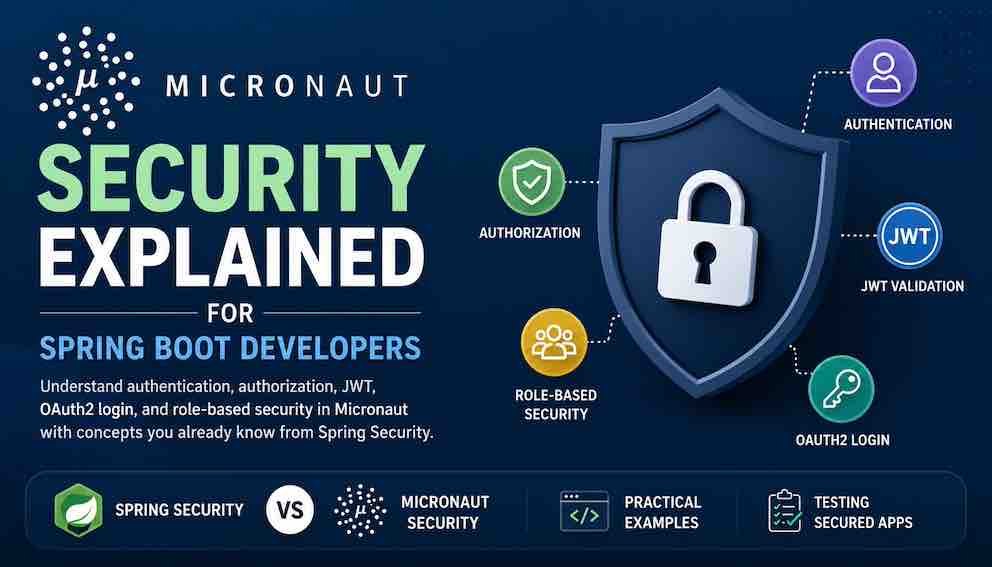
Micronaut Security provides authentication, authorization, JWT validation, and OAuth2 support through a lightweight compile-time framework. If you're coming from Spring Security, many concepts will feel familiar, but the configuration model is very different. In this guide, you'll learn how to secure endpoints with @Secured, issue and validate JWTs, integrate with OAuth2 providers, and test secured applications using practical examples and side-by-side Spring comparisons.
What This Article Covers
This article walks through the core security concepts every microservice needs — authentication, authorisation, token validation, and OAuth2 integration. For each concept it explains what the concept means, how Micronaut implements it, and how that compares to Spring Security. By the end you will have enough to secure a production Micronaut service, with configuration examples and working code throughout.
A quick note before diving in: security is a broad topic. This article focuses on the patterns that work for REST APIs and microservices — the most common use case for Micronaut. Stateful session-based security is mentioned but not covered in depth. The examples assume you are building a service-to-service or single-page application backend.
How Micronaut Security Works: The Mental Model
Before looking at code, it helps to understand the layers of security in a typical application and how Micronaut addresses each one.
The Four Layers of Application Security
Every secure application needs to handle four distinct concerns, regardless of framework.
Authentication answers the question: who is the caller? The caller provides credentials — a username and password, a JWT, an API key. Your application verifies those credentials and, if valid, establishes an identity for the rest of the request.
Authorisation answers the question: what is the caller allowed to do? Once you know who the caller is, you need to decide which endpoints they can reach and which operations they can perform. This is typically role-based: a user with ROLE_ADMIN can delete things; a user with ROLE_USER cannot.
Token handling answers the question: how does the caller prove their identity on subsequent requests? After authenticating once, the caller receives a token — usually a JWT — and sends it with every future request. Your application validates that token, ensures it hasn't expired, and extracts the caller's identity from it.
Credential storage answers the question: how do we safely store user passwords? Passwords are never stored in plain text. They are hashed using a one-way algorithm like BCrypt or Argon2. Even if an attacker steals your database, they cannot recover the original passwords.
How Spring Security Implements These Layers
Spring Security provides implementations for all four layers, tied together through a central filter chain and a thread-local security context.
Authentication happens through an AuthenticationManager and a set of AuthenticationProvider implementations. A filter intercepts the request, extracts credentials, calls the authentication manager, and stores the resulting Authentication object in a thread-local SecurityContextHolder.
Authorisation uses @PreAuthorize annotations or HTTP security rules. The SecurityContextHolder is read to obtain the current user's roles, which are checked against the required roles for the endpoint.
Token handling requires explicit configuration. For JWT you add oauth2ResourceServer().jwt() to the HttpSecurity configuration and provide a JwtDecoder. The framework then validates tokens and extracts claims.
Credential storage is handled through a PasswordEncoder. Spring Boot auto-configures a BCrypt encoder by default.
The Spring Security model works well, but two characteristics are worth noting. Custom configuration is done through Java — typically by declaring a SecurityFilterChain bean that builds an HttpSecurity configuration, though Spring Boot auto-configures a sensible default so no code is required for basic use. And the security context is stored in a thread-local variable, which works because Servlet containers use a thread-per-request model.
How Micronaut Security Implements These Layers
Micronaut covers the same four layers but with a different architectural philosophy.
Authentication starts with an AuthenticationProvider interface. You implement this interface to check credentials against your user database. Unlike Spring, where you must register your provider with the authentication manager, Micronaut discovers it automatically from the classpath.
Authorisation uses the @Secured annotation directly on controller methods. There is no separate HttpSecurity configuration class. The roles required are written right where they apply — on the endpoint itself.
Token handling is largely configuration-driven. You specify how to validate tokens in application.yml — either a shared secret or a JWKS URL. The framework adds the necessary filters automatically. No Java code is required for basic JWT validation.
Credential storage requires you to supply a PasswordEncoder bean. Unlike Spring Boot, there is no auto-configured default. You choose the algorithm and implement the interface.
The key architectural differences are worth internalising upfront.
Configuration style. Spring Security uses Java-based HttpSecurity configuration via a SecurityFilterChain bean, though Spring Boot provides a working default so no code is needed for basic cases. Micronaut uses application.yml plus annotations. What takes twenty lines of Java in Spring often takes five lines of YAML in Micronaut.
Thread-local vs parameter injection. Spring stores the authenticated user in a thread-local variable. Micronaut injects Authentication as a method parameter when you need it. There are no static accessors, no thread-local cleanup, and the dependency is explicit in the method signature.
Compile-time vs runtime. Spring Security builds its filter chain at runtime based on your configuration. Micronaut's annotation processing generates much of the security infrastructure at compile time, which reduces startup time and memory usage.
Reactive by default. Micronaut is built on Netty, not the Servlet API. Its security filters are non-blocking, and AuthenticationProvider returns a reactive Publisher rather than a synchronous value. This is the most significant adjustment if you are coming from Spring MVC.
Dependencies
Add these to build.gradle. The rest of the article is structured around what each one gives you.
Part One: Credential Storage — Password Hashing
What Is Password Hashing and Why Does It Matter?
When a user creates an account, you never store their password directly. If an attacker steals your database, plain-text passwords are immediately compromised. The attacker can then try those passwords on other services, knowing that many people reuse credentials.
Instead, you store a hash of the password. A hash is a one-way mathematical function: given the hash, you cannot reverse it to recover the original password. When a user logs in, you hash the password they provide and compare the result to the stored hash. If they match, the password was correct.
BCrypt is the most widely used hashing algorithm for passwords. It is deliberately slow — a few milliseconds per hash — which makes brute-force attacks expensive. It also includes a salt automatically: a random value added to each password before hashing, so even two users with the same password end up with different hashes.
How Spring Security Handles Password Hashing
Spring Boot auto-configures a PasswordEncoder using PasswordEncoderFactories.createDelegatingPasswordEncoder(). This encoder supports multiple algorithms and includes the algorithm name in the encoded output, allowing you to upgrade hashing algorithms over time. The default algorithm is BCrypt.
How Micronaut Handles Password Hashing
Micronaut takes a different approach. No password encoder is auto-configured. You must provide your own implementation of the PasswordEncoder interface. This gives you full control over the hashing algorithm but means you cannot rely on a default.
Here is a complete BCrypt implementation:
Once this bean is registered, Micronaut injects it wherever PasswordEncoder is required — typically in your authentication provider.
Why does Micronaut require manual configuration? The maintainers have chosen to avoid assumptions about your hashing strategy. Some organisations require Argon2. Some require PBKDF2. Some have legacy hashes that need migration. By leaving the password encoder undefined, Micronaut forces you to make an explicit choice, which is usually the right call for production systems.
Comparison to Spring Security: Spring Boot gives you a working default immediately. Micronaut requires four lines of implementation code but also gives you complete control over the algorithm, the work factor, and any migration logic you might need.
Part Two: Authentication — Verifying Who the Caller Is
What Is Authentication?
Authentication is the process of verifying a caller's identity. The caller provides credentials — a username and password, a JWT, an API key — and your application checks whether those credentials are valid. If they are, the caller becomes an authenticated principal that the rest of the request can refer to.
In a typical web application, authentication happens once per session. The user logs in, receives a token or session cookie, and that credential is sent with every subsequent request. Your application validates the credential on each request, but the user only provides their password once.
In a microservice architecture, authentication is often delegated. One service — an API gateway or a dedicated authentication service — handles the login and issues tokens. Other services only validate those tokens. This is called the resource server pattern, covered in Part Five.
How Spring Security Handles Authentication
Spring Security uses an AuthenticationManager backed by one or more AuthenticationProvider implementations. A filter extracts credentials from the request and calls the authentication manager. The manager iterates through its providers until one successfully authenticates the request, and the resulting Authentication object is stored in the thread-local SecurityContextHolder.
This model is flexible but requires explicit wiring. In practice, it often happens automatically when you define a UserDetailsService and a PasswordEncoder, but the indirection can be confusing at first.
How Micronaut Handles Authentication
Micronaut uses a similar AuthenticationProvider interface but with simpler wiring. You implement the interface, and Micronaut discovers it automatically from the classpath. No additional configuration or registration is required.
The interface has a single method that receives the authentication request and returns a reactive Publisher of the authentication response.
Here is a complete authentication provider that checks credentials against a database using BCrypt:
Notice the reactive return type. Micronaut's security filters are non-blocking, built on Netty rather than Servlets. Your authentication provider can perform database lookups without blocking threads by using reactive clients, or by wrapping blocking calls in Mono.fromCallable() as shown above. If your repository is blocking (a standard JDBC repository, for example), wrapping it in Mono.fromCallable() is correct and safe — just be aware that the callable will run on a scheduler, not the event loop.
When authentication succeeds, Micronaut takes the AuthenticationResponse.success() result, creates an Authentication object containing the username, roles, and any custom claims, and makes that object available to the rest of the request. Unlike Spring Security, there is no thread-local storage. The Authentication object is passed through the filter chain and injected as a method parameter in your controllers.
When authentication fails, the provider returns AuthenticationResponse.failure() with a message. Micronaut translates this into an HTTP 401 response. The failure message is used for logging but is not returned to the client by default, which prevents information leakage.
The Automatic /login Endpoint
With an AuthenticationProvider in place, Micronaut automatically exposes a /login endpoint that accepts a JSON body with username and password fields:
When the provider returns a successful authentication, Micronaut generates a JWT and returns it in the response body:
The client stores this token and sends it as a Bearer token in the Authorization header of every subsequent request. Micronaut validates the token automatically when it arrives.
Comparison to Spring Security: In Spring, you would need to configure an authentication manager, define a user details service, set up a password encoder, and often add a custom filter to handle JSON login instead of form encoding. Micronaut gives you the JSON login endpoint automatically once you implement AuthenticationProvider. The trade-off is that you must understand the reactive model and the specific return types.
Part Three: Authorisation — Controlling What Callers Can Do
What Is Authorisation?
Authorisation is the process of deciding whether an authenticated caller is allowed to perform a specific operation. Authentication tells you who the caller is. Authorisation tells you what they can do.
The most common authorisation model is role-based access control (RBAC). Each user is assigned one or more roles — ROLE_ADMIN, ROLE_USER, ROLE_MANAGER. Each endpoint specifies which roles are permitted to access it. If the user has at least one of the required roles, access is granted.
Other authorisation models exist — attribute-based access control (ABAC), permission-based systems — but RBAC is sufficient for the vast majority of applications and is what this article covers.
How Spring Security Handles Authorisation
Spring Security provides @PreAuthorize annotations that support a rich expression language. A typical endpoint might be annotated with @PreAuthorize("hasRole('ADMIN')"). The expression language can check multiple roles, test conditions on the authentication object, or even evaluate method arguments.
Spring also supports HTTP security rules in the HttpSecurity configuration, allowing you to define access rules in one centralised place.
How Micronaut Handles Authorisation
Micronaut uses the @Secured annotation, which accepts one or more role strings. The semantics are simple: if the authenticated user has any of the specified roles, access is granted. If the user has none of the specified roles, access is denied with HTTP 403.
Here is a complete controller showing @Secured at both the class and method levels:
Class-level @Secured sets a default for all methods in the controller:
An important detail: method-level @Secured completely replaces the class-level annotation. It does not combine with it. In the example above, health() requires only IS_AUTHENTICATED, not IS_AUTHENTICATED AND ROLE_ADMIN.
The built-in SecurityRule constants cover the common cases.
SecurityRule.IS_ANONYMOUS — anyone can access, even unauthenticated callers.
SecurityRule.IS_AUTHENTICATED — any authenticated user can access, regardless of roles.
SecurityRule.DENY_ALL — no access for anyone. Useful as a class-level default that individual methods can override.
SecurityRule.PERMIT_ALL — alias for IS_ANONYMOUS.
The Intercepted-URL Pattern vs Annotation-Driven Security
One difference worth noting for Spring developers: Spring Security supports both annotation-based access control and centralised HTTP security rules in HttpSecurity. Micronaut does not have a direct equivalent of centralised URL-based rules. Authorisation is annotation-driven and declared on the controller. If you want to secure all endpoints in a controller by default and then open up individual ones, the class-level @Secured combined with method-level overrides is the right approach.
Comparison to Spring Security: Spring's @PreAuthorize("hasRole('ADMIN')") becomes @Secured("ROLE_ADMIN") in Micronaut. Spring's expression language is more powerful — you can write hasRole('ADMIN') and hasIpAddress('192.168.1.0/24') — but Micronaut's simpler approach covers the common cases. For complex authorisation logic, Micronaut provides a SecurityRule interface that you can implement, though that is beyond the scope of this introductory article.
Part Four: Token Handling — JWT Basics
What Is JWT and Why Is It Used?
A JWT (JSON Web Token) is a self-contained token that carries claims about the caller. It is a string divided into three parts by dots: a header, a payload, and a signature.
The header contains metadata about the token — typically the signing algorithm. The payload contains the claims: the subject (who the token represents), the expiration time, the issuer, and any custom claims like roles. The signature proves that the token was issued by someone who possesses the secret key and has not been tampered with.
JWTs are popular in microservice architectures because they are stateless. The service that receives a JWT can validate it using only cryptographic keys — no database lookup required. The token itself contains the user's identity and roles. This makes horizontal scaling trivial: any instance can validate any token without sharing session state.
JWTs have trade-offs, however. They cannot be individually revoked without a revocation list or a short expiration time. They grow larger as you add more claims. And they are not encrypted by default — the payload is base64-encoded, not secret.
The Two Roles: Token Issuer vs Token Validator
In a microservice architecture, one service typically issues tokens at login time. The issuer holds the private key or secret and generates tokens. All other services act as validators — they only check that incoming tokens are properly signed and have not expired.
Micronaut supports both roles. With an AuthenticationProvider, it acts as an issuer and exposes the /login endpoint. With only validation configuration, it acts as a resource server, validating tokens from an external issuer like Keycloak or Auth0.
How Spring Security Handles JWT
Spring Security requires explicit configuration for JWT. For a resource server, you add oauth2ResourceServer().jwt() to the HttpSecurity chain and provide a JwtDecoder bean. The decoder can be configured with a symmetric secret or a JWKS URI.
For issuing tokens, Spring Security does not provide a built-in token endpoint. You would typically use Spring Authorization Server or implement a custom endpoint.
How Micronaut Handles JWT
Micronaut's JWT support is configuration-driven. For the common case of validating tokens with a shared secret, you need only a few lines of YAML:
With this configuration, Micronaut adds a filter that reads the Authorization header, extracts the Bearer token, validates the signature using the configured secret, checks the expiration time, and parses the claims into an Authentication object. No Java code is required for basic validation.
For issuing tokens — when your service provides the /login endpoint — you add a generator configuration alongside the validation configuration:
Note that both generator and validation are specified under the same secret key. This is a common source of confusion: if you only configure generator, validation will not work, and your service will reject its own tokens. Always configure both when your service both issues and validates tokens.
Why does the secret need to be long? The signing secret for HMAC-SHA256 must be at least 256 bits — 32 characters — to be cryptographically secure. A short secret can be brute-forced. Always use a long, random secret and store it in an environment variable, never in the configuration file itself.
Symmetric vs asymmetric signing: The secret above is an HMAC shared key — the same key signs and verifies tokens. For external identity providers(Keycloak, Auth0) or even own authorization server, Micronaut supports RSA signing via JWKS instead. See Part Five for an example.
The Four Authentication Modes
The authentication key determines how tokens are transmitted and read. Choosing the right mode is one of the most important decisions in your security configuration.
bearer mode — Tokens are sent in the Authorization: Bearer <token> header. The client must add this header to every authenticated request. This is the standard choice for REST APIs consumed by mobile apps, single-page applications, or other backend services. It is completely stateless and works across domains.
cookie mode — The JWT is stored in an HTTP-only cookie and sent automatically by the browser. JavaScript never touches the token, which reduces XSS exposure. This mode is appropriate when you are rendering HTML on the server and want the browser to manage the token transparently. It introduces CSRF concerns, however, so you will need to add CSRF protection.
session mode — Authentication state is stored server-side, in memory or in Redis. The browser carries a session cookie that references the stored state. This behaves similarly to the default Spring Security session model and is the lowest-friction path when migrating an existing stateful application. For new microservice work, prefer bearer mode.
idtoken mode — Used with OAuth2 login. When your application acts as an OAuth2 client and users log in through a provider like Google, Micronaut receives an ID token from that provider. This mode tells Micronaut to use that ID token directly as the authentication credential rather than issuing its own JWT.
Note: The authentication setting defines the primary credential reader, but Micronaut supports multiple mechanisms in the same application. You can combine bearer tokens for API clients with cookie-based authentication for browser clients, or accept both JWTs and API keys simultaneously by adding custom TokenReader implementations. The mode simply tells the framework where to look first for a credential.
Accessing the Authenticated Principal
When a request is authenticated, the Authentication object containing the user's identity and roles is available to your controller. Unlike Spring Security's thread-local approach, Micronaut injects it as a method parameter when you declare it:
For endpoints that allow anonymous access but need to behave differently for authenticated users, declare the parameter as @Nullable:
Accessing the Authenticated Principal in Services
Controller parameter injection works well at the HTTP layer, but services cannot declare Authentication as a method parameter the same way. For those cases, Micronaut provides SecurityService, which you can inject anywhere:
Under the hood, SecurityService retrieves the Authentication from the current request context, which in Micronaut's reactive model is propagated through the reactive pipeline rather than a thread-local.
One important caveat: if your service method runs outside of a request context — in a scheduled job or a message consumer, for example — getAuthentication() will return an empty Optional. In those cases you should pass the relevant identity explicitly as a method argument rather than relying on SecurityService.
Comparison to Spring Security: In Spring, you would call SecurityContextHolder.getContext().getAuthentication() from anywhere in the call stack, which works because the security context is stored in a thread-local. Micronaut's parameter injection in controllers makes the dependency explicit and is easier to test, while SecurityService fills the same role as SecurityContextHolder when you need the principal deeper in the stack.
Part Five: Token Validation — Resource Server Pattern
What Is a Resource Server?
In a microservice architecture, you often want to centralise authentication in one service while letting other services focus on their business logic. A resource server is a service that accepts tokens but does not issue them. It validates incoming tokens against a secret or a public key, extracts the user identity and roles, and uses that information for authorisation.
For example, an order service might accept tokens issued by a separate authentication service. The order service has no /login endpoint. It only validates the tokens it receives, trusting that they were properly issued.
Configuring Micronaut as a Resource Server
Micronaut's resource server configuration requires only a few lines of YAML. No Java code is needed for basic validation.
Using a shared secret (HMAC):
Using a JWKS endpoint (RSA):
When your organisation uses Keycloak, Auth0, or another identity provider, the issuer typically publishes a JWKS (JSON Web Key Set) endpoint — a URL that returns the public keys used to sign tokens. Micronaut fetches and caches these keys automatically:
With this configuration, Micronaut fetches the JWKS from the specified URL when the application starts, caches the public keys, validates incoming JWT signatures against the cached keys, and refreshes the cache according to the HTTP cache headers returned by the JWKS endpoint. No code is required.
The JWKS approach is preferred in production over shared secrets because the private key never leaves the issuer. Each service only needs the public key to verify signatures, and key rotation is handled centrally at the issuer.
Extracting Roles from External Tokens
Different identity providers put roles in different places in the JWT. Your own service might put roles in a top-level roles claim. Keycloak puts them in realm_access.roles. Auth0 uses permissions or a custom namespace.
Micronaut's default role extraction looks for a top-level roles claim. When integrating with a provider that uses a different structure, you need a custom RolesFinder.
Here is a RolesFinder for Keycloak:
The @Replaces(DefaultRolesFinder.class) annotation tells Micronaut to use this implementation instead of the default. Most teams will not need this unless integrating with a provider that puts roles in a nested structure.
Comparison to Spring Security: Spring uses a JwtAuthenticationConverter for the same purpose. The concept is identical; only the interface name changes.
Part Six: OAuth2 Login — Delegating to External Providers
What Is OAuth2 Login?
OAuth2 login allows your application to delegate authentication to an external provider — Google, GitHub, Keycloak, Auth0. The user clicks "Login with Google", is redirected to Google's login page, and after authenticating is redirected back to your application with a token. Your application never sees the user's password.
This pattern is called the OAuth2 authorisation code flow. Your application acts as an OAuth2 client. The provider acts as the authorisation server.
Configuring OAuth2 Login in Micronaut
Micronaut's OAuth2 support is configuration-driven. For each provider, you add a client configuration. Micronaut automatically exposes two endpoints:
/oauth/login/{provider} — redirects the user to the provider's login page.
/oauth/callback/{provider} — handles the provider's redirect back to your application.
Here is a configuration for Google and Keycloak:
The openid.issuer field tells Micronaut where to discover the provider's configuration — the authorisation endpoint, token endpoint, and JWKS URL — via the OpenID Connect Discovery protocol.
Mapping Provider Claims to Application Roles
After a user authenticates with an external provider, you need to map their provider-specific information — email address, name, groups — into your application's role model. Micronaut provides an OauthAuthenticationMapper interface for this purpose.
Here is a mapper that creates or looks up a user in your local database and assigns roles based on the provider's claims:
The @Named("google") annotation tells Micronaut which provider this mapper applies to. You can have different mappers for different providers.
Comparison to Spring Security: Spring uses an OAuth2UserService for the same purpose. The concept is identical — you receive user information from the provider and return your application's representation of that user.
Part Seven: Testing Micronaut Security
The Testing Challenge
Security tests require careful setup. The components involved — JWT validation, OAuth2 flows, role extraction — are stateful and tied to cryptographic keys. Micronaut gives you two clean approaches.
The first is to issue real test tokens: generate a real JWT using the test configuration's secret. This tests the full filter chain, including signature validation, expiration checking, and claim extraction. It is the more realistic option.
The second is to mock the authentication: bypass the token layer entirely and inject a pre-built Authentication object. This is faster and avoids cryptography entirely, but it does not test the token validation filter.
This article focuses on the first approach because it provides the most realistic test coverage.
Test Configuration
Create src/test/resources/application-test.yml with a fixed secret for token generation:
The same secret is used for both generation and validation, and must be at least 32 characters long.
JWT Token Generator Helper
Create a helper that generates test tokens with configurable usernames and roles:
Testing Protected Endpoints
Here is a complete test for a product controller with role-based access:
Testing the Authentication Provider
You can also test the AuthenticationProvider directly, mocking the repository to control the user data returned:
Disabling Security for Non-Security Tests
When you want to test business logic without security interfering, disable security in the test environment:
Use this only for tests that are explicitly about business logic, and keep separate test classes for security-specific tests where security remains enabled.
Comparison to Spring Security: Spring provides @WithMockUser and @WithAnonymousUser annotations to set up the security context without generating real tokens. Micronaut's token generation helper is more explicit but also more realistic — you are testing exactly what runs in production.
Quick Reference: Spring Security to Micronaut
This section summarises the mapping between Spring Security concepts and their Micronaut equivalents, for quick lookup when migrating or comparing.
Enable security — Spring: @EnableWebSecurity class. Micronaut: micronaut.security.enabled: true.
Password encoding — Spring: auto-configured BCrypt. Micronaut: provide a PasswordEncoder bean.
Authenticate user — Spring: UserDetailsService + PasswordEncoder. Micronaut: implement AuthenticationProvider.
Protect endpoint — Spring: @PreAuthorize("hasRole('ADMIN')"). Micronaut: @Secured("ROLE_ADMIN").
Allow anonymous — Spring: permitAll() in config. Micronaut: @Secured(SecurityRule.IS_ANONYMOUS).
Require authentication — Spring: authenticated() in config. Micronaut: @Secured(SecurityRule.IS_AUTHENTICATED).
Access current user — Spring: SecurityContextHolder.getContext(). Micronaut: Authentication method parameter.
JWT validation — Spring: oauth2ResourceServer().jwt(). Micronaut: YAML token.jwt.signatures.jwks or .secret.
JWT issuance — Spring: Spring Authorization Server or custom. Micronaut: AuthenticationProvider + automatic /login.
OAuth2 client — Spring: oauth2Login() in config. Micronaut: YAML oauth2.clients.*.
Token transport mode — Spring: stateless by default in resource server. Micronaut: choose bearer, cookie, session, or idtoken.
Custom role extraction — Spring: JwtAuthenticationConverter. Micronaut: implement RolesFinder with @Replaces.
Test with token — Spring: @WithMockUser. Micronaut: TestJwtTokenGenerator.generateToken().
Test 401/403 — Spring: MockMvc expectations. Micronaut: assertThrows(HttpClientResponseException.class).
Disable security for tests — Spring: @WithMockUser or anonymous post-processor. Micronaut: micronaut.security.enabled: false in test profile.
CSRF protection — Spring: enabled by default; must disable for APIs. Micronaut: not auto-configured for bearer token APIs; required for cookie mode.
What to Explore Next
Refresh tokens enable clients to obtain new access tokens without re-authenticating. Add to your configuration:
The /login response will then include a refresh_token field, which can be exchanged at /oauth/access_token for a new access token.
Session-based authentication — if you are migrating a stateful Spring MVC application, set authentication: session and configure Redis-backed session storage for horizontal scaling.
LDAP authentication — the micronaut-security-ldap module provides integration with corporate Active Directory or OpenLDAP for environments that require centralised user management.
API key authentication — implement a custom AuthenticationProvider that reads an API key from a header rather than a username and password, suitable for service-to-service authentication.
Custom security rules — for authorisation logic that @Secured cannot express (row-level security, attribute-based access, dynamic rules), implement the SecurityRule interface. This allows you to write programmatic authorisation logic that runs after authentication but before the controller method.
About N Sharma
Lead Architect at StackAndSystemN Sharma is a technologist with over 28 years of experience in software engineering, system architecture, and technology consulting. He holds a Bachelor’s degree in Engineering, a DBF, and an MBA. His work focuses on research-driven technology education—explaining software architecture, system design, and development practices through structured tutorials designed to help engineers build reliable, scalable systems.
Disclaimer
This article is for educational purposes only. Assistance from AI-powered generative tools was taken to format and improve language flow. While we strive for accuracy, this content may contain errors or omissions and should be independently verified.