
Learning Paths
Last Updated: April 8, 2026 at 19:30
Hashing Explained: How Hash Functions Work, Password Hashing (Salts, bcrypt, Argon2) & Why It’s Not Encryption
A developer-focused deep dive into cryptographic hashing — how hash functions work, why they are one-way and collision-resistant, and how they are used in practice, from password hashing with salts, peppers, bcrypt, and Argon2id to integrity checks and digital signatures
Hashing is a one-way function used to verify data without revealing it, but it’s often confused with encryption. This guide explains how hash functions work, why they’re irreversible, and where they’re used—from file integrity and digital signatures to secure password storage. You’ll learn how to implement password hashing correctly using salts, peppers, and slow hash functions like bcrypt and Argon2id, and avoid critical mistakes like using SHA-256 or MD5.
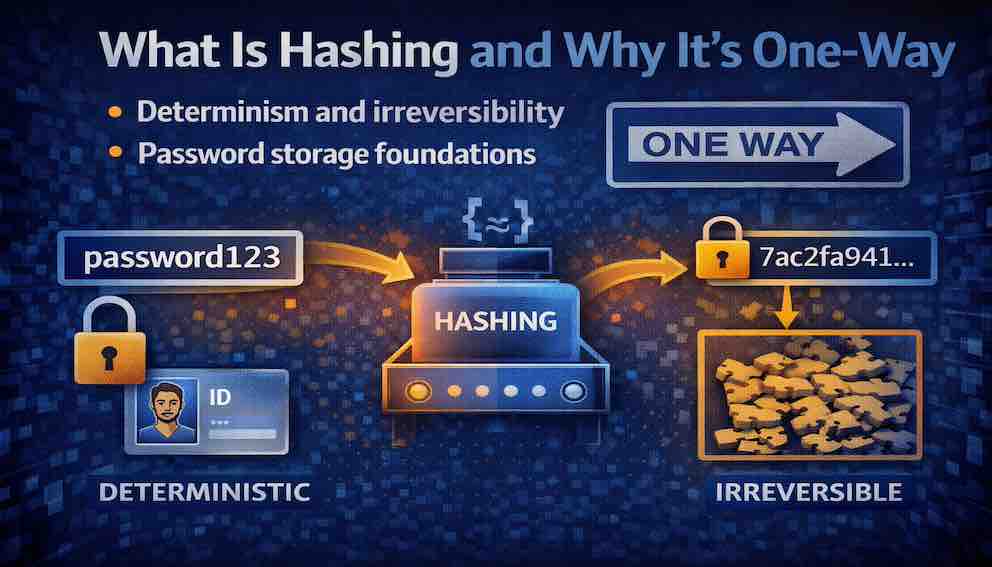
A Story: The Fingerprint
Imagine you are a detective at a crime scene. You find a fingerprint on a glass. You do not know who it belongs to. You cannot look at the fingerprint and reconstruct the person's face, their height, their name, or anything else about them. The fingerprint is not a picture of the person. It is a one-way transformation.
But here is the useful part. You take the fingerprint to your database of known criminals. You compare it to prints you already have on file. If it matches one, you know exactly who was at the scene. If it matches none, you know this person has not been fingerprinted before.
The fingerprint is deterministic. The same person always leaves the same fingerprint. It is one-way. You cannot turn a fingerprint back into a person. It is useful for identification, not for secrecy.
This is hashing.
A cryptographic hash function takes any input — a password, a file, a message — and produces a fixed-size output called a hash, digest, or fingerprint. The same input always produces the same output. But you cannot reverse the process. You cannot turn the hash back into the original input.
Hashing is not encryption. Encryption is two-way: you encrypt to hide, you decrypt to read. Hashing is one-way: you hash to create a fingerprint, and you never un-hash.
What Is a Hash Function?
A cryptographic hash function is a mathematical algorithm that takes an input of any size and produces a fixed-size output — the hash or digest — with the property that it is computationally infeasible to reverse the process or find two different inputs that produce the same output.
The output of a hash function is sometimes called a digest. In practice, developers use “hash” and “digest” interchangeably, but “digest” refers more precisely to the final fixed-size output — the fingerprint produced by the hashing process.
A hash function has three essential properties.
Deterministic. The same input always produces the same output. If you hash the word "password" today, tomorrow, or a year from now, you get exactly the same hash. This is what makes hashing useful for verification.
One-way (pre-image resistance). Given a hash, it is computationally infeasible to find any input that produces that hash. You cannot reverse a hash to discover the original input. This is what makes hashing useful for storing secrets.
Collision-resistant. It is computationally infeasible to find two different inputs that produce the same hash. If two different inputs do produce the same hash, that is called a collision. Good hash functions make collisions practically impossible.
For password storage specifically, a fourth property matters: the hash function should be deliberately slow. This makes brute-force attacks expensive. Standard cryptographic hash functions like SHA-256 are designed for speed — which makes them the wrong choice for passwords. Specialised password hashing functions like bcrypt, Argon2, and PBKDF2 are intentionally slow and tunable.
Hashing vs Encryption — A Critical Distinction
Before diving deeper, let us clear up a fundamental misunderstanding that trips up even experienced developers. Many developers use "encryption" and "hashing" interchangeably. They are fundamentally different.
Encryption is two-way. You encrypt data using a key and decrypt it later using that same key (or a paired key). It is designed to be reversed. Its purpose is confidentiality: hiding data that you intend to read again.
Hashing is one-way. There is no key and no decryption step. You hash data to produce a fixed-size fingerprint. You cannot reverse that fingerprint back into the original input. Its purpose is identification and integrity: proving that something matches, without revealing what it is.
The output sizes differ too. An encrypted file is roughly the same size as the original. A hash is always the same fixed size — 256 bits for SHA-256, regardless of whether you hash a single character or an entire novel.
The simple rule: if you need to read the data again later, use encryption. If you need to verify that data matches something you already have, use hashing.
A concrete example: you encrypt a file before sending it over email, then decrypt it when you receive it. You hash a password before storing it in your database — and you never need to "decrypt" it. When a user logs in, you hash the password they submit and compare it to the stored hash. If they match, the password is correct.
Why Hashing Is One-Way
The one-way property of hash functions is what makes them useful for password storage. But how does one-way actually work?
Hash functions use operations that are easy to compute in one direction but extremely difficult to reverse. They involve bitwise operations, modular arithmetic, and compression functions that discard information in ways that cannot be undone.
Think of it like mixing paint. You take blue and yellow paint and mix them thoroughly. You get green. Given the green paint, you cannot separate it back into the original colours. The information is still there in some sense — the photons are being absorbed and reflected according to the original pigments — but it is irreversibly combined. Hashing is similar. The input is mixed and compressed so thoroughly that recovery is not computationally feasible.
Why does this matter for passwords? Consider the alternatives.
If you store passwords in plain text and your database is breached, the attacker has every password immediately. No effort required.
If you encrypt passwords and your database is breached, the attacker still needs the encryption key. But that key lives somewhere in your system. If the attacker has access to your servers, they may find it. Encryption is designed to be reversed — and a compromised key means compromised passwords.
If you hash passwords and your database is breached, the attacker gets only the hashes. They cannot reverse them. Their only option is to guess passwords, hash each guess, and compare the result to the stolen hashes. With a good password hashing function, this process is slow and expensive. That is the point.
Common Hash Functions
Different hash functions serve different purposes. The distinction that matters most for security is speed: fast functions are for integrity verification, slow functions are for password storage.
General-Purpose Hash Functions (Fast)
These are optimised for speed and are used for file integrity, digital signatures, and data structures. They are not appropriate for password storage.
MD5 produces a 128-bit output. It has been broken for decades — collisions can be generated in seconds on ordinary hardware. Do not use it for anything security-related. Its only remaining appearance is in legacy systems and checksums where collision resistance is not required.
SHA-1 produces a 160-bit output. It is weak. Practical collision attacks have been demonstrated, most notably the SHAttered attack in 2017, which produced two different PDF files with identical SHA-1 hashes. The effort required has since dropped significantly. Avoid it for new systems; it is being actively phased out of existing ones.
SHA-256 (part of the SHA-2 family) produces a 256-bit output and is the current standard for general-purpose hashing. It is secure, widely supported, and the right choice for file integrity, digital signatures, and similar tasks. SHA-384 and SHA-512 are available if larger outputs are required.
SHA-3 is based on a different internal design (the Keccak algorithm) and produces outputs of 224, 256, 384, or 512 bits. It is secure and serves as an alternative to SHA-2, particularly in contexts where a different mathematical foundation is preferred. It has not yet achieved the same breadth of adoption as SHA-2.
Password Hashing Functions (Slow)
These are designed specifically for password storage. They are deliberately slow and configurable.
bcrypt is based on the Blowfish cipher and has been the most widely deployed password hashing function for many years. It incorporates a salt and a configurable work factor (called "cost") that controls how slow the hash is. Its output is a single string that includes the salt, cost, and hash — everything you need to verify a password is stored together. It is a proven, conservative choice.
Argon2 won the Password Hashing Competition in 2015 and is the modern standard for new systems. It is memory-hard by design, which makes it resistant to attacks using specialised hardware (GPUs and ASICs) that can parallelise computation but struggle with large memory requirements. It comes in three variants: Argon2i, which uses data-independent memory access and is better suited to environments where side-channel attacks are a concern; Argon2d, which uses data-dependent memory access and is more resistant to GPU-based attacks but more vulnerable to side-channel attacks; and Argon2id, which combines both approaches and is the recommended choice for most applications. It offers separate parameters for time cost, memory usage, and parallelism.
PBKDF2 applies an underlying hash function (typically SHA-256) many thousands of times. It is configurable by iteration count. It is not memory-hard, which makes it more susceptible to GPU-based attacks than bcrypt or Argon2. Its main advantage is that it is FIPS-certified, making it the required choice in certain regulatory environments. For new systems outside those environments, prefer bcrypt or Argon2.
Password Storage — The Foundation
Hashing is the foundation of secure password storage, but hashing alone is not enough. You also need salting, peppering, and a slow hash function. Here is why each piece matters.
Why Plain Text Is Unacceptable
Storing passwords in plain text is the most consequential security failure a system can make. A single database breach exposes every user's password immediately. Because users reuse passwords across services, one breach can cascade into many.
Why Encryption Is Not Enough
Encrypting passwords is better than plain text, but it carries a critical weakness: the encryption key must be stored somewhere. If an attacker compromises your server, they likely find the key. With the key, they can decrypt every password. Encryption is reversible by design — and that reversibility is the problem.
Why Hashing Alone Is Not Enough (Rainbow Tables)
A rainbow table is a pre-computed lookup table of hashes for common passwords, allowing an attacker to reverse a hash almost instantly.
If you hash passwords without a salt, two users with the same password will produce the same hash. An attacker can pre-compute hashes for millions of common passwords — a rainbow table — and look up any hash instantly to find the original password.
Without a salt:
- User A: password "letmein" → hash 5d41402abc4b2a76b9719d911017c592
- User B: password "letmein" → hash 5d41402abc4b2a76b9719d911017c592
The attacker sees identical hashes for both users. They know both users share a password, and a lookup in their pre-computed table reveals it immediately.
Salting — Making Every Hash Unique
A salt is a random, unique value generated for each user. It is combined with the password before hashing. The salt is stored alongside the hash in the database — it is not secret.
With a salt:
- User A: "letmein" + salt a7f3c... → hash 8c3b5f...
- User B: "letmein" + salt b9d2e... → hash 6f1a7e...
The hashes are completely different even though the passwords are identical. Pre-computed rainbow tables become useless because the attacker would need a separate table for every possible salt.
Requirements for salts: they must be unique per user, generated with a cryptographically secure random number generator, and at least 16 bytes (128 bits) long. They are not secret — their purpose is uniqueness, not secrecy.
Peppering — An Additional Secret
A pepper is a secret value shared across all users but stored outside the database — in environment variables, a secrets manager, or a hardware security module. It is combined with the password and salt before hashing.
If an attacker steals the database, they have the hashes and salts but not the pepper. Without the pepper, cracking the hashes is infeasible. The pepper adds a layer of defence that survives a database-only breach.
Important: peppers should be stored separately from the hashes, rotated on a defined schedule, and never logged. When implementing, many systems apply the pepper via an HMAC over the completed hash rather than simple concatenation — this is cleaner cryptographically and avoids subtle issues with how inputs are combined.
Requirements for peppers: keep them secret, store them outside the database, use the same pepper for all users (with a plan for rotation for ultra secure environments), and never put them in source control.
The Complete Formula
hash = password_hash_function(password + salt + pepper, work_factor)
Store in database: username, hash, salt, work_factor
Store separately: pepper
How Password Verification Works
When a user creates an account or changes their password:
- Generate a random, unique salt for that user.
- Retrieve the pepper from secure storage outside the database.
- Combine the password, salt, and pepper.
- Hash the combination using a slow password hash function — bcrypt, Argon2, or PBKDF2.
- Store the hash, salt, and work factor(explained shortly) in the database.
- Discard the plaintext password immediately. Never log it.
When a user logs in:
- Receive the plaintext password from the user.
- Retrieve the user's stored hash and salt from the database.
- Retrieve the pepper from secure storage.
- Combine the submitted password with the stored salt and pepper.
- Hash the combination using the same function and work factor.
- Compare the result to the stored hash.
If they match, the password is correct. If not, reject.
One important implementation detail: the final comparison should be constant-time. Most string comparison functions stop as soon as they find a mismatch, and the time difference can leak information about how many characters match. Use your language's constant-time comparison function for this step.
Work Factors and Future-Proofing
Password hashing functions expose a work factor parameter — bcrypt calls it "cost", PBKDF2 calls it "iterations", Argon2 has separate parameters for time, memory, and parallelism. This parameter controls how slow the function is.
A higher work factor means more computation per hash, which makes each guess in a brute-force attack more expensive. If hashing one password takes 200 milliseconds on your server, an attacker with your database can test roughly five guesses per second per core — a dramatic slowdown compared to attacking a fast hash.
The challenge is that hardware gets faster over time. A work factor calibrated for 200 milliseconds in 2020 might take 20 milliseconds on 2026 hardware. This is why work factors must be configurable and periodically reviewed.
A practical approach: store the work factor alongside each hash. When a user successfully logs in with an older, weaker work factor, re-hash their password with the updated parameters and store the new hash. This lets you migrate users gradually without forcing a mass password reset.
For bcrypt, a cost of 10 to 12 is common today, targeting 100 to 400 milliseconds. For Argon2id, aim for 100 to 200 milliseconds on your production hardware, with at least 64 MB of memory. Measure on your actual servers — the right value depends on your hardware and your tolerance for authentication latency.
Where Hashing Is Used
Hashing appears throughout modern systems, well beyond password storage.
File integrity verification. When you download software, the website often provides a checksum — a hash of the file. After downloading, you compute the hash of what you received and compare it to the published value. If they match, the file arrived intact and was not tampered with in transit.
Digital signatures. Signing the entire content of a large document would be impractical. Instead, the document is hashed, and the much smaller hash is signed. Recipients verify the signature on the hash. If the document has been altered, the hash changes, and the signature fails.
Merkle trees and blockchains. Each block in a blockchain contains the hash of the previous block. Changing any block changes its hash, which invalidates all subsequent blocks. This structure makes tampering detectable without comparing entire blocks of data.
Deduplication. Storage systems use hashes to detect duplicate files. If two files share the same hash, they are almost certainly identical, and the system can store only one copy.
Content addressing. Git identifies every object — commits, trees, blobs — by its hash. The hash is the address. Change the content, and you get a different address. This makes it impossible to silently modify history.
Session tokens and API keys. Some systems store only the hash of session tokens or API keys. The token itself is given to the client. The server stores only the hash. If the database is breached, the tokens are not directly exposed — the attacker still needs to reverse the hash to use them.
Common Mistakes
Using encryption instead of hashing for passwords. Encryption implies a key. A key means a single point of compromise. Hash passwords so there is nothing to decrypt.
Using fast hash functions for passwords. MD5, SHA-1, and SHA-256 are designed for speed. Attackers can test billions of guesses per second against them. Use bcrypt, Argon2, or PBKDF2 for passwords.
Skipping salts. Without a salt, identical passwords produce identical hashes. Two compromised users become one easy lookup. Always generate a unique, cryptographically random salt per user.
Using short or predictable salts. A salt of "1" or "user" is not a salt. Use a cryptographically secure random number generator and produce at least 16 bytes.
Storing the pepper with the hashes. If the pepper lives in the same database as the hashes, it provides no additional protection. Store it separately — environment variables, a secrets manager, or a hardware security module.
Using a fixed or outdated work factor. Hardware improves. A work factor that took 200 milliseconds five years ago may now be trivially fast. Make the work factor configurable, store it with each hash, and review it periodically.
Rolling your own hash function. Do not invent your own cryptography. Use well-established, peer-reviewed functions. There is no creative upside here and substantial downside.
Not using constant-time comparison. Comparing the submitted hash to the stored hash with a standard string comparison leaks timing information. An attacker can measure how long the comparison takes to infer how many bytes match. Use the constant-time comparison function provided by your language or framework.
Hash Length and Collisions
Imagine an attacker wants to trick a system that uses digital signatures. They create two documents: a harmless contract you'd be happy to sign, and a malicious one that transfers all your money. If they can find a hash collision — two different documents that produce the same hash — they can get you to sign the harmless one, but the signature also works on the malicious one. The system can't tell the difference.
That's why hash length matters. A hash that's too short makes this attack possible.
How short is too short? Due to the birthday paradox, a hash with an N‑bit output starts to become vulnerable after about 2^(N/2) inputs. For a 128‑bit hash like MD5, that's about 2^64 inputs — well within reach of modern computing. In fact, MD5 collisions can be generated in seconds on ordinary hardware. SHA‑1 (160 bits) is weaker than it should be; practical collisions have been demonstrated. SHA‑256 (256 bits) requires about 2^128 inputs before a collision is expected — that's computationally infeasible with current or foreseeable technology.
Does this matter for passwords? Less than you might think. For password storage, the primary concern is pre‑image resistance: can an attacker reverse a hash to find the original password? Collisions don't help an attacker break a specific password. But for digital signatures, file integrity, and code signing, collision resistance is critical.
The practical rule: Don't use MD5 or SHA‑1 for anything security‑sensitive. Use SHA‑256 or SHA‑3 for integrity and signatures. Use bcrypt or Argon2 for passwords.
What to Take Away
Hashing is a one-way transformation that creates a fixed-size fingerprint of any input. It is deterministic — the same input always produces the same output — but irreversible: you cannot recover the input from the hash.
After reading this article, you should be able to:
- Distinguish hashing from encryption: hashing is one-way, encryption is two-way and requires a key.
- Name and explain the three core properties of a cryptographic hash function: deterministic, one-way (pre-image resistant), and collision-resistant.
- Explain why fast hash functions are wrong for passwords and name the appropriate alternatives: bcrypt (widely deployed), Argon2id (modern standard), and PBKDF2 (FIPS-certified fallback).
- Describe salting and explain why it defeats rainbow table attacks.
- Describe peppering and explain why it must be stored separately from the database.
- Explain what a work factor is and why it needs to increase over time.
- Recognise the most common implementation mistakes: no salt, fast hash functions, pepper stored alongside hashes, and non-constant-time comparison.
- Know where hashing appears beyond passwords: file integrity, digital signatures, blockchains, deduplication, and content addressing.
Most importantly: if you store passwords in plain text, you are one breach away from disaster. If you encrypt passwords, you have a key management problem. If you hash passwords properly — with a unique salt, a pepper stored separately, a slow hash function, and a calibrated work factor — your users' passwords remain protected even when your database is stolen.
Closing: The Fingerprint Revisited
Return to the fingerprint.
The fingerprint is one-way. You cannot look at it and reconstruct the person. But it is deterministic — the same person always leaves the same fingerprint. And it is useful for identification: when you find a fingerprint at a crime scene, you compare it against your records. A match tells you who was there.
This is hashing.
You do not store passwords. You store their fingerprints — their hashes. You cannot turn a hash back into a password. But when a user logs in, you hash the password they provide. If it matches the fingerprint you stored, you know they entered the correct one.
The fingerprint does not reveal the person. The hash does not reveal the password. Both are reliable proofs of identity without disclosure.
Treat passwords with respect. Do not store them in plain text. Do not encrypt them. Hash them. Salt them. Pepper them. Make them slow. Then sleep knowing that even if your database is stolen, your users' passwords are not.
About N Sharma
Lead Architect at StackAndSystemN Sharma is a technologist with over 28 years of experience in software engineering, system architecture, and technology consulting. He holds a Bachelor’s degree in Engineering, a DBF, and an MBA. His work focuses on research-driven technology education—explaining software architecture, system design, and development practices through structured tutorials designed to help engineers build reliable, scalable systems.
Disclaimer
This article is for educational purposes only. Assistance from AI-powered generative tools was taken to format and improve language flow. While we strive for accuracy, this content may contain errors or omissions and should be independently verified.